Prices and payment
The documentation provides a description with examples of the interface in Russian.
Pricing
Sample price = number of rows × price per row.
-
Number of rows is the number of organizations matching the selected categories and territories. To reduce the number of rows, you can exclude empty rows or export data for only one branch.
-
The price per row consists of a base set of attributes and additional attributes.
noteWhen you order a certain number of rows, a discount applies to the cost of each row. You can find out the final cost when creating an order.
Data for any territories and categories costs the same.
Pricing example
For example, you order a sample with the following parameters:
- Territory: Novosibirsk urban district.
- Category: tea clubs.
- Data attributes: base set and number of employees.
- Number of rows in the sample: 10.
Total sample price: 10 rows × (33.50 ₽ + 1.10 ₽) = 346 ₽.
Payment methods
You can pay for a created order using the following methods:
-
Online: by bank card or electronic wallet.
Limitation:
- Bank cards issued in the Russian Federation are accepted.
- Payment via e-wallet is available only from the Russian Federation.
- Only orders up to 50,000 rubles can be paid online.
-
By invoice. Payment is available for orders of any value and from the CIS countries. Processing bank transfers may take up to five days. The sample will be available only after payment.
Samples are not subject to VAT.
Saving payment details
You can save payment details to avoid entering them for each order.
-
Open the Data.2GIS page.
-
Click the profile name in the upper-right corner of the page.
-
In the License owner details section, click Add payment details.
-
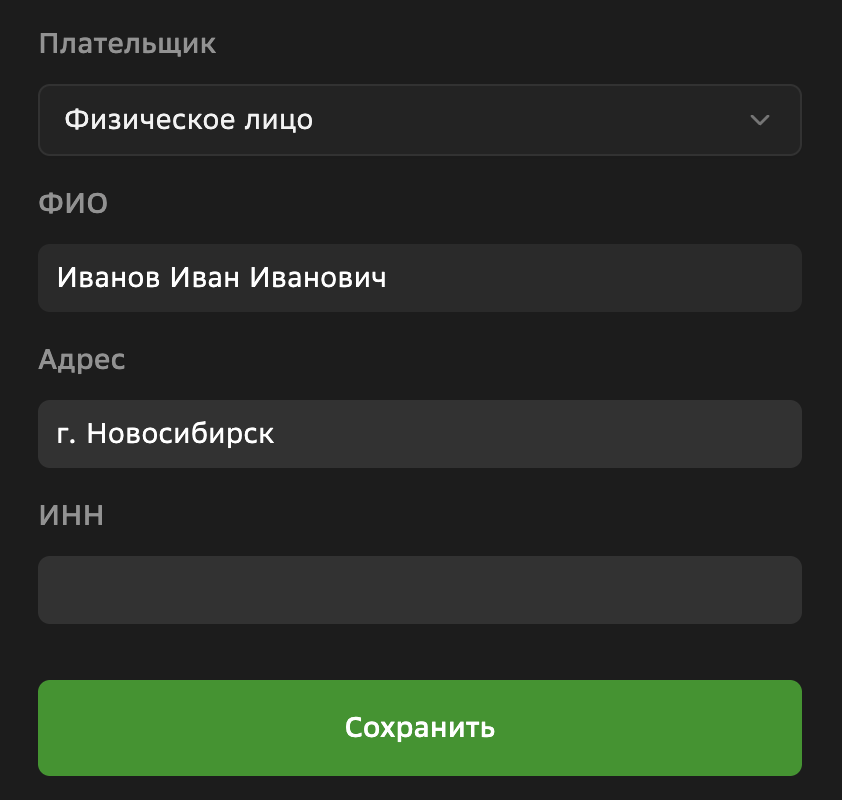
Enter the details depending on the legal form:
- Legal entity: organization name, legal address, tax reference number, and RRC.
- Individual entrepreneur: name, legal address, and tax reference number.
- Individual: full name, email for receiving documents, and tax reference number.
-
Click Save.