Monitoring
The documentation provides a description of the interface in Russian.
With the Main administrator, Company administrator, and Dispatcher roles, you can monitor current and past shifts on the Monitoring tab:
- view the map of the territory where the shifts are performed
- track agents (mobile employees, transport, etc.) added to the shift in real time
- view movement history, performance metrics, and data of agents
With the Agent group manager role, you can only view agents from the group you manage.
To open a shift, go to the Monitoring tab and click the shift card in the upper-left corner. You can use the calendar to filter shifts by date.
Tracking agents
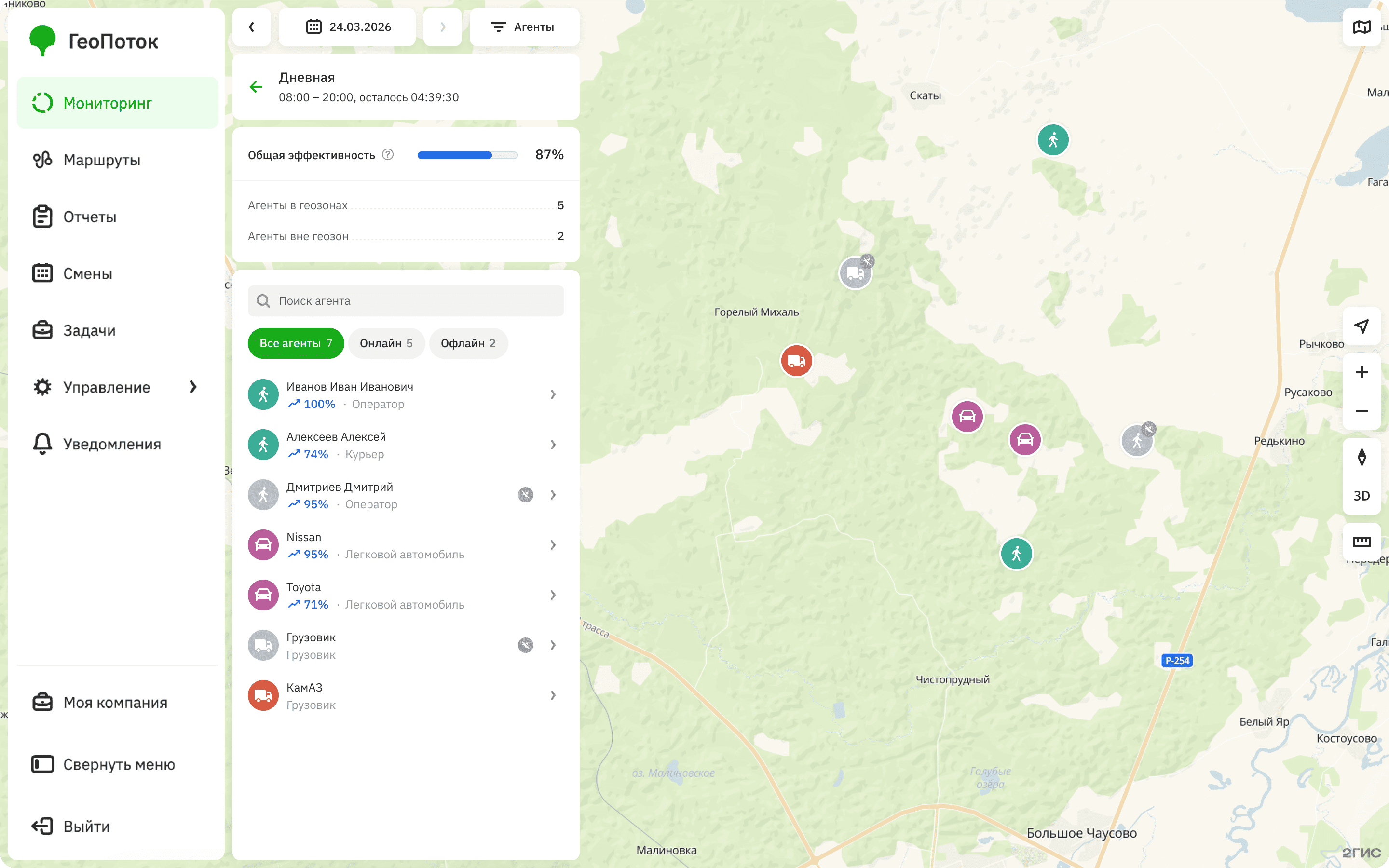
The shift page displays:
-
General shift data: name, start and end time, and time remaining until the end of the shift.
-
Overall shift performance: the average performance of the agents in the shift. Only agents with a specified metric in their template are included in the calculation.
-
Number of agents in geozones and outside them.
-
List of agents added to the shift and their icons on the map. You can search for agents by name and filter by status. The status depends on the availability of agent location data, which is updated once per minute:
Online: agents with available current location data. Displayed on the map as a colored icon. The icon color depends on the agent template.Offline: agents without available current location data (for example, the tracker or mobile application is disabled or not transmitting location data). Displayed on the map as a gray icon.
Viewing agent information
You can search agents by name and filter them by agent type (template). To open the agent card, click the agent in the list.
The agent card displays:
-
Signal: current GPS signal status on the agent's location source.
-
Last activity: time the agent was last active:
- Recent: agent was active less than 1 hour ago.
- N hours ago: agent was active between 1 hour and 12 hours ago.
- Long time ago: agent was active more than 12 hours ago.
To view the exact time of last activity, click the tooltip.
-
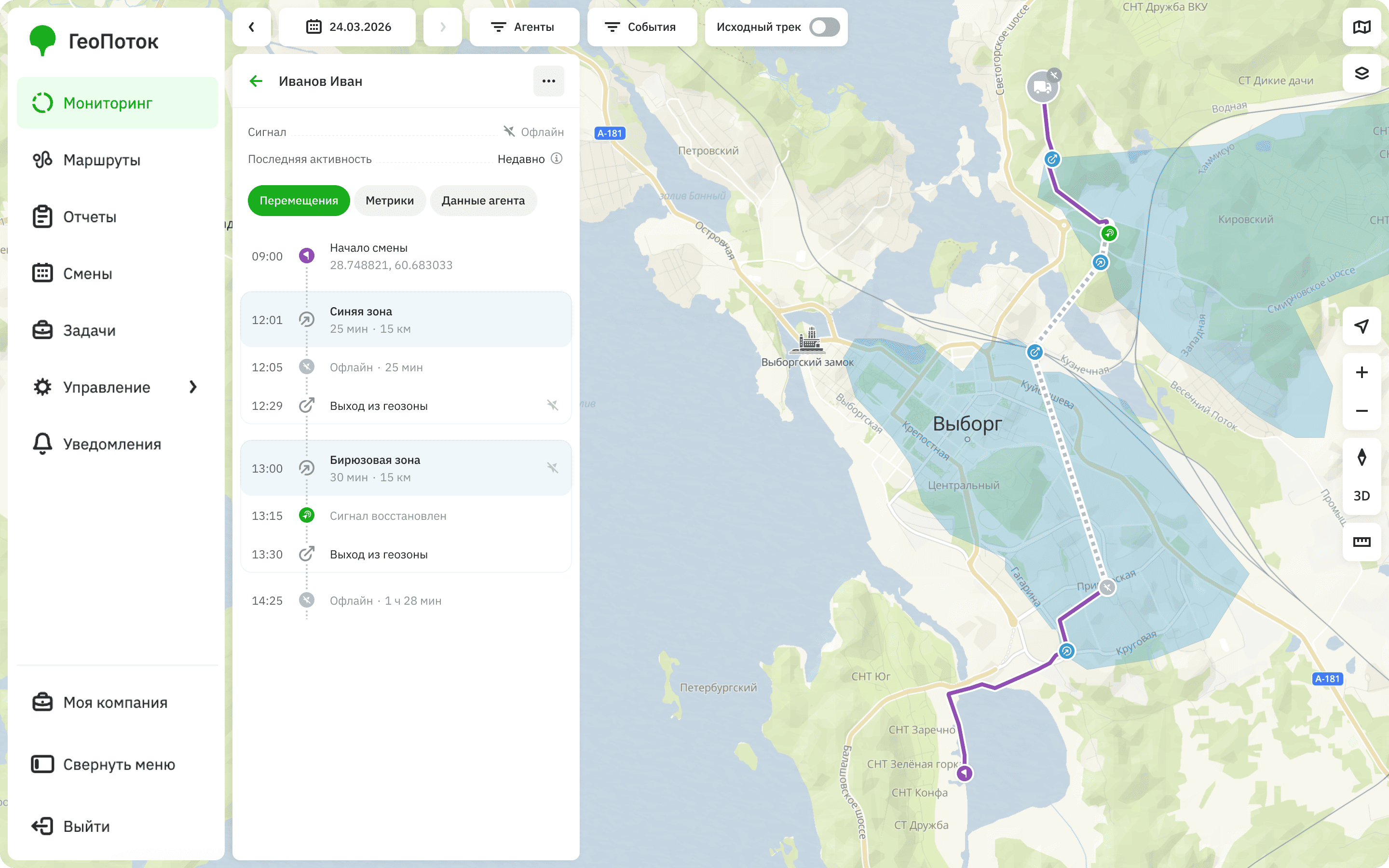
Movements: agent's movement history on the map and event list. You can view the agent's track during the shift.
To filter movements by event type, click Events and select the type: signal or geozone changes.
-
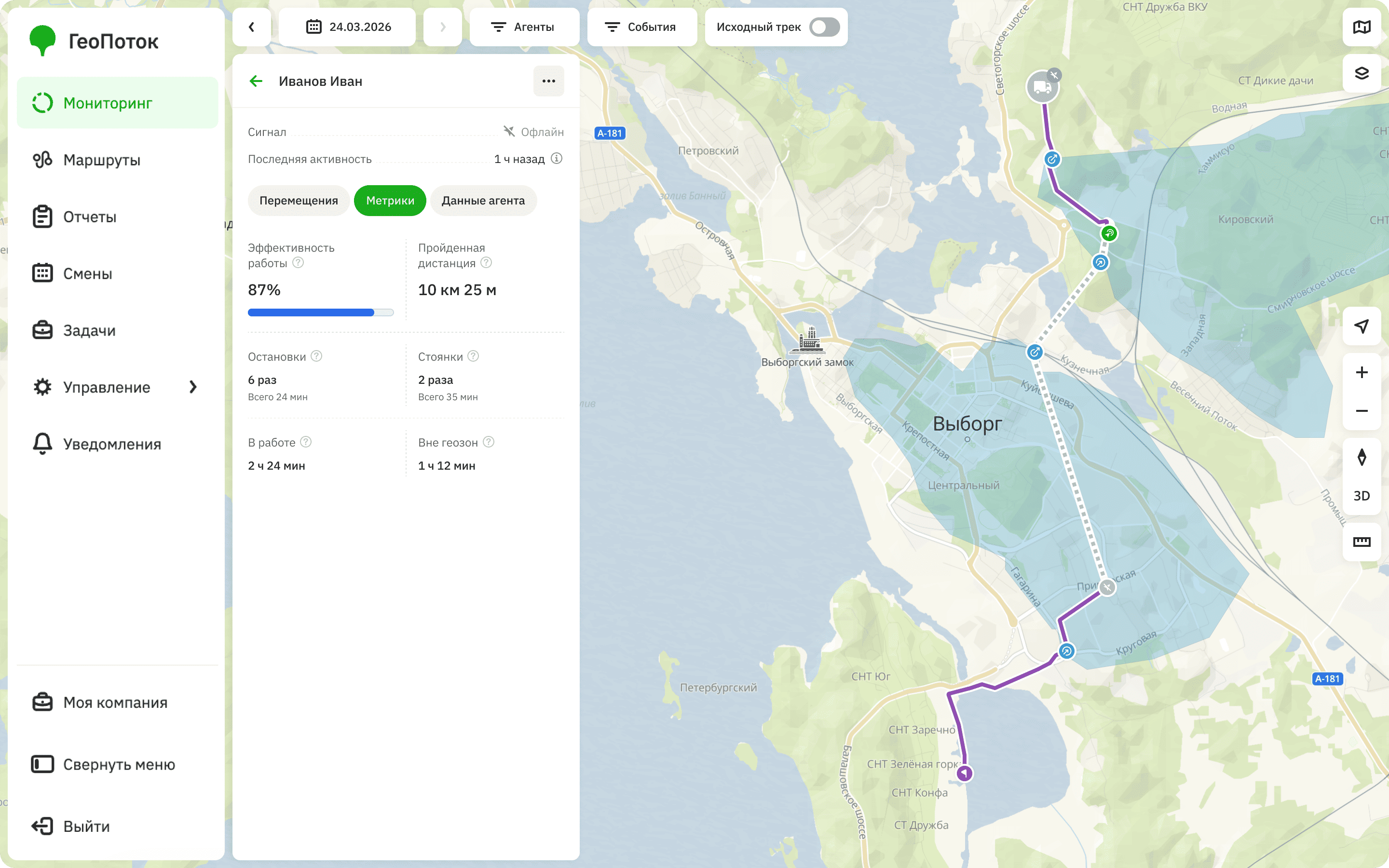
Metrics: agent performance metrics based on movement and event data. Data depends on the metric specified in the agent template:
-
Task completion performance: ratio of the number of tasks completed during a shift to the number of tasks assigned in the shift.
-
Work performance: ratio of the time the agent was in geozones to the time since the shift started.
-
Route length/Distance traveled: distance traveled by the agent during the shift. Calculated based on the movement route.
-
Stops: number and total time of stops made by the agent during the shift. A stop is an event when the agent remains in one place for less than 5 minutes.
-
Parking: number and total time of parking events during the shift. A parking event is an event when the agent remains in one place for 5 minutes and more.
-
In work: time when the agent was moving or was in geozones during the shift.
-
Outside geozones: time when the agent was outside geozones during the shift.
If you selected the Disabled metric, the Metrics tab will not be displayed.
-
-
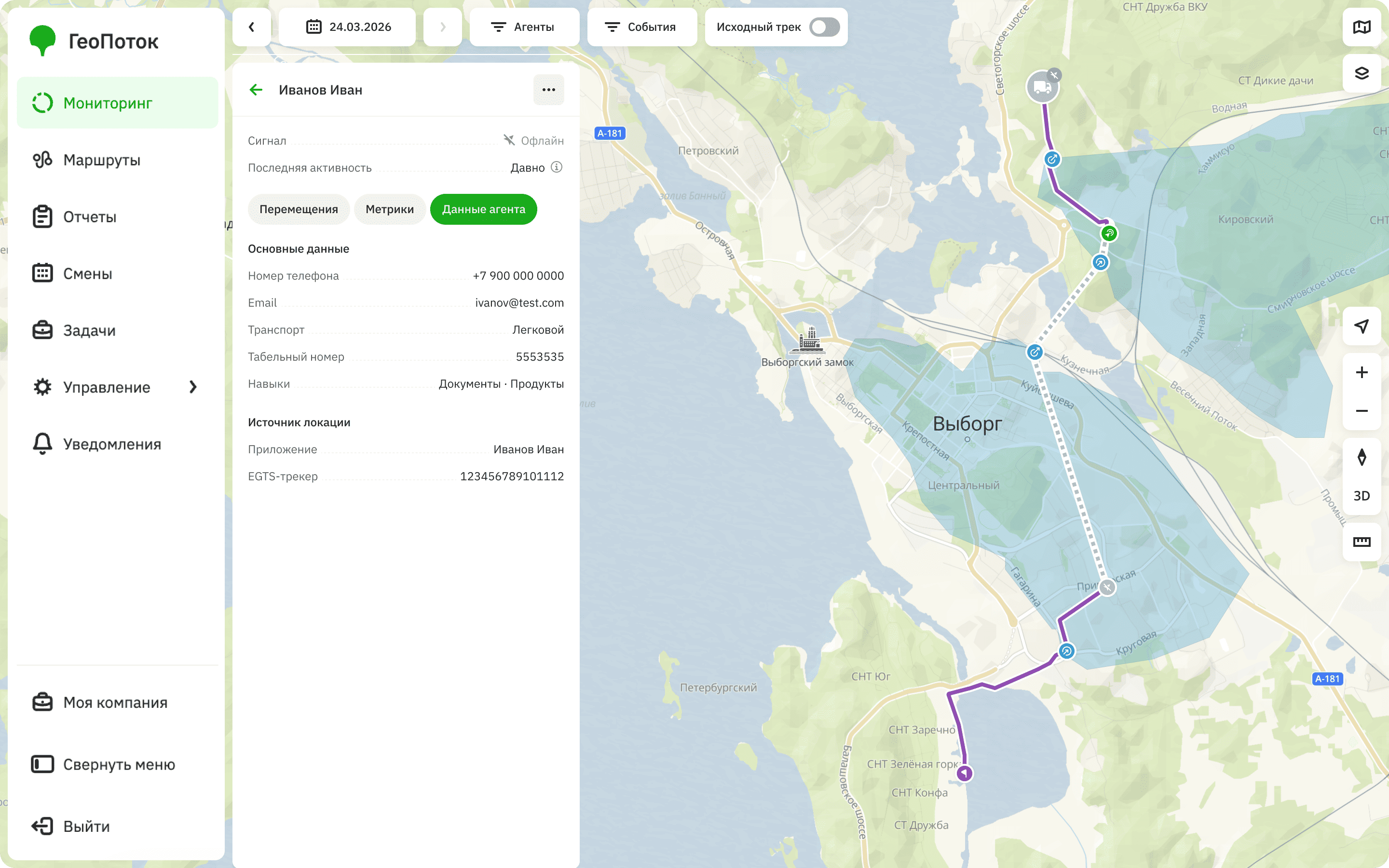
Agent data: information about the agent, specified when creating the agent.