Administrator web panel overview
Localization
The documentation provides a description of the interface in Russian.
In the 2GIS GeoFlow: Logistics administrator web panel, users can manage agents (employees and transport) and create route plans.
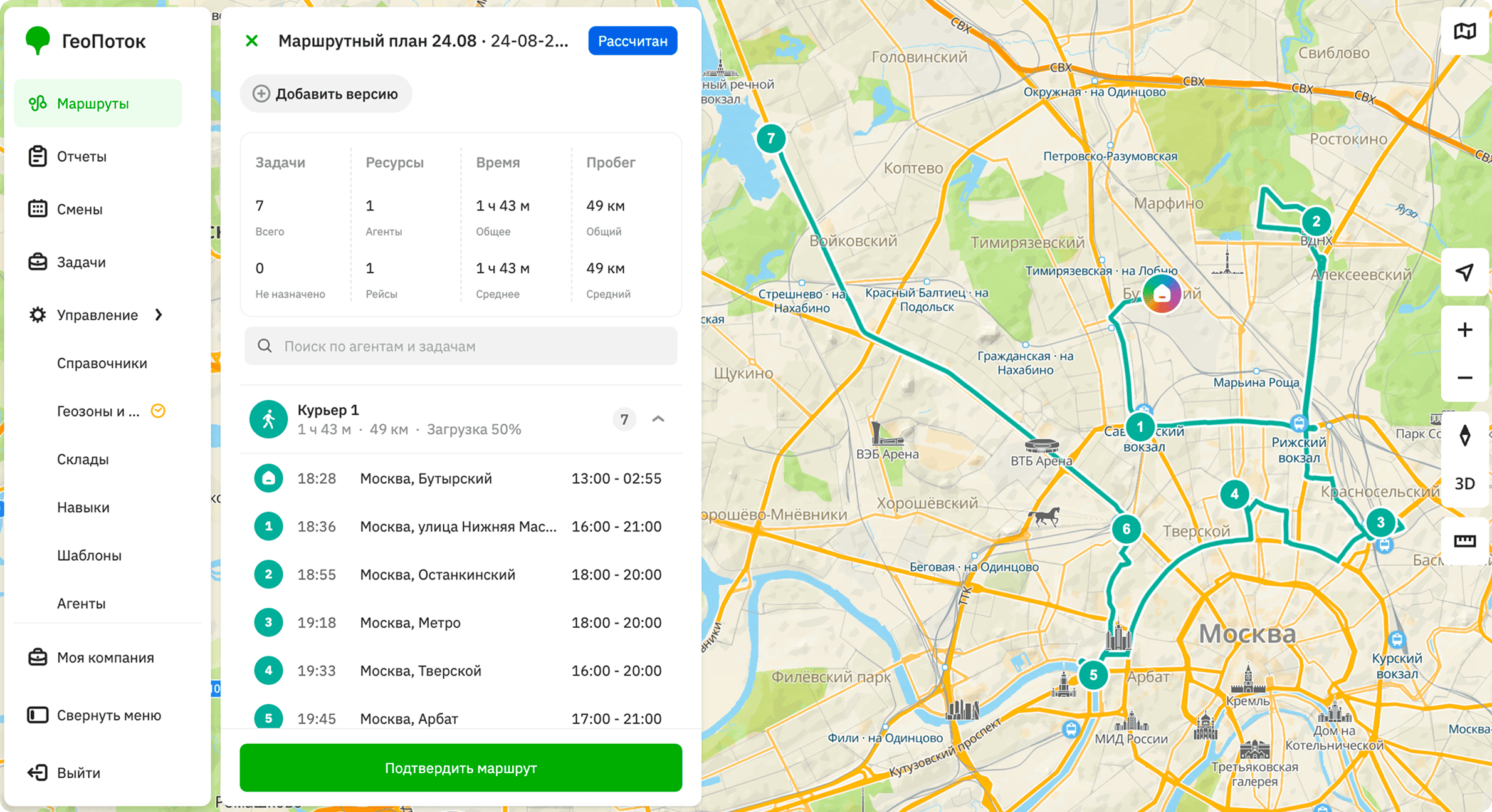
You can manage access to the web panel using user roles.
User roles
- Employee - has access only to the mobile application for performing tasks.
- Dispatcher - has access to information about all agent groups, can manage skills, groups, tasks, and route plans.
- Company administrator - has full access to the system, except for company settings.
- Main administrator - performs the same functions as the company administrator but can only be one per company. The main administrator role is assigned to the user who created the company.
| Dispatcher | Company administrator | Main administrator | |
|---|---|---|---|
| Managing users | ✗ (only viewing) | ✓ (except for the role Company administrator) | ✓ |
| Managing directories | ✗ (only viewing) | ✓ | ✓ |
| Managing depots | ✗ (only viewing) | ✓ | ✓ |
| Managing skills | ✓ | ✓ | ✓ |
| Managing templates | ✗ (only viewing) | ✓ | ✓ |
| Managing agents | ✗ (only viewing) | ✓ | ✓ |
| Managing agent groups | ✓ | ✓ | ✓ |
| Managing tasks | ✓ | ✓ | ✓ |
| Managing route plans | ✓ | ✓ | ✓ |
| Viewing notifications | ✓ | ✓ | ✓ |
| Managing map style | ✓ | ✓ | ✓ |
| Managing company settings | ✗ | ✗ | ✓ |
Web panel interface
Work with the following tabs in the administrator web panel depending on your role:
- Routes: to create and manage route plans that optimize task performing.
- Tasks: to create and manage tasks performed by agents.
- Management: to work with users, directories, depots, skills, templates, agents, and agent groups.
- Notifications: to view notifications about events.
All web panel users can manage map style settings.