Administrator web panel overview
The documentation provides a description of the interface in Russian.
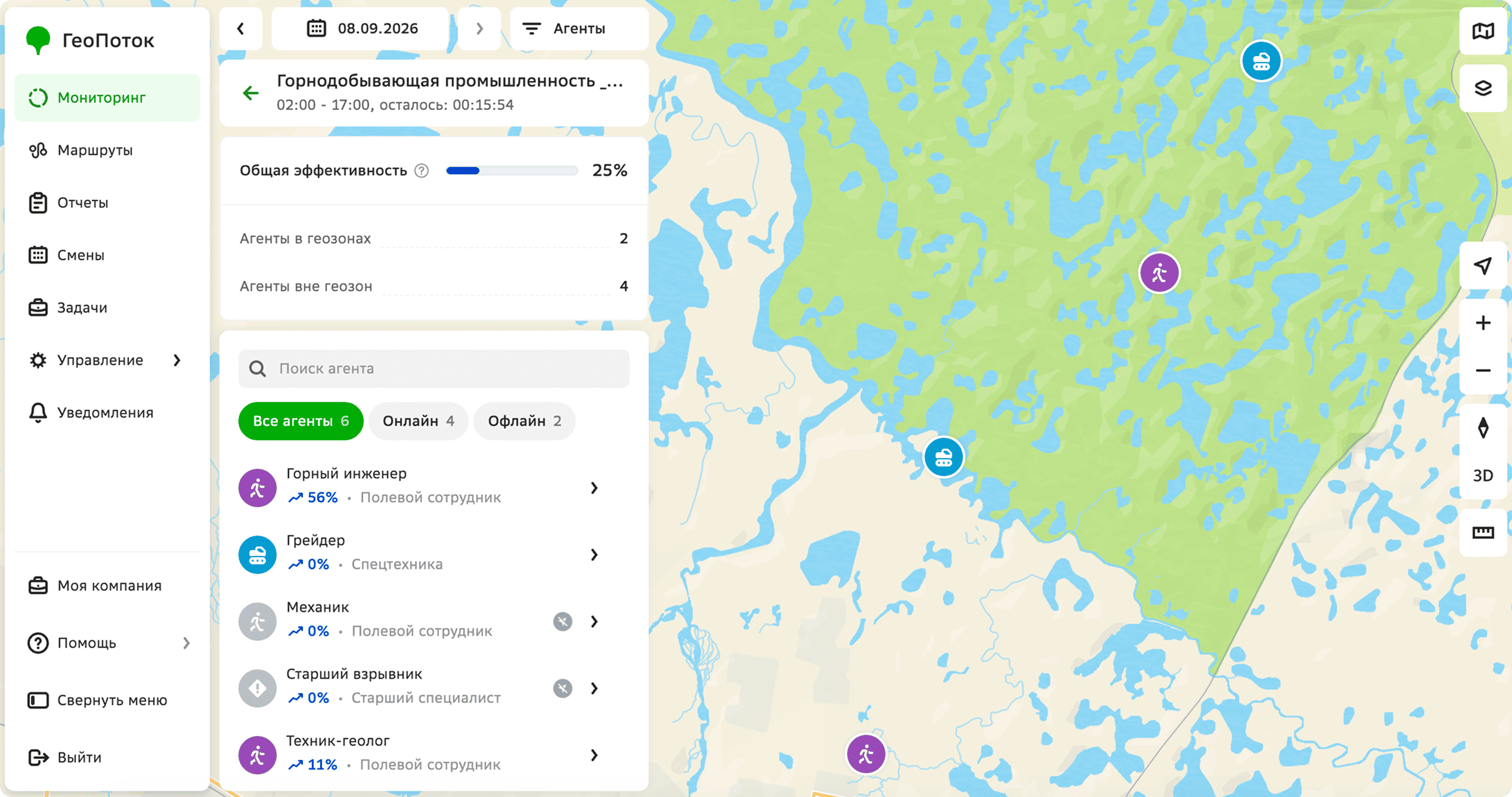
In the 2GIS GeoFlow: Monitoring administrator web panel, users can manage agents (employees and transport), plan work shifts, track agent location in real time, and view their movement history.
You can manage access to the web panel using user roles.
Web panel interface
Work with the following tabs in the administrator web panel depending on your role:
-
Monitoring: to view:
- information about the current shift in real time and past shifts
- information about agents: their performance, location, movement history, and status
- geofences and infrastructure objects on the map
-
Reports: to view reports on agent work.
-
Shifts: to plan work shifts and add tasks and agents to them.
-
Tasks: to create and manage tasks performed by agents.
-
Management: to work with users, directories, geolayers and geofences, skills, templates, objects, agents, agent groups, and devices.
-
Notifications: to view notifications about events.
All web panel users can manage map style settings.
User roles
- Employee - has access only to the mobile application for performing tasks.
- Agent group manager - has access to information about agents from their own group.
- Dispatcher - has access to information about all agent groups, can manage skills, agent groups, reports, tasks, and shifts.
- Company administrator - has full access to the system, except for company settings.
- Main administrator - performs the same functions as the company administrator but can only be one per company. The main administrator role is assigned to the user who created the company.
| Agent group manager | Dispatcher | Company administrator | Main administrator | |
|---|---|---|---|---|
| Managing users | ✗ | ✗ (only viewing) | ✓ (except for the role Company administrator) | ✓ |
| Managing directories | ✗ (only viewing) | ✗ (only viewing) | ✓ | ✓ |
| Managing geolayers and geofences | ✗ | ✗ (only viewing) | ✓ | ✓ |
| Managing skills | ✗ (only viewing) | ✓ | ✓ | ✓ |
| Managing templates | ✗ (only viewing) | ✗ (only viewing) | ✓ | ✓ |
| Managing objects | ✗ (only viewing) | ✗ (only viewing) | ✓ | ✓ |
| Managing agents | ✗ (only viewing agents from their own group) | ✗ (only viewing) | ✓ | ✓ |
| Managing agent groups | ✗ (only viewing their own groups) | ✓ | ✓ | ✓ |
| Managing devices | ✗ | ✗ (only viewing) | ✓ | ✓ |
| Managing reports | ✗ (only viewing reports of their own groups) | ✓ | ✓ | ✓ |
| Managing tasks | ✗ (only viewing tasks of their own groups) | ✓ | ✓ | ✓ |
| Planning shifts | ✗ (only viewing) | ✓ | ✓ | ✓ |
| Viewing monitoring data | ✓ (only their own groups) | ✓ | ✓ | ✓ |
| Viewing notifications | ✓ | ✓ | ✓ | ✓ |
| Managing map style | ✓ | ✓ | ✓ | ✓ |
| Managing company settings | ✗ | ✗ | ✗ | ✓ |