Map
The documentation provides a description of the interface in Russian.
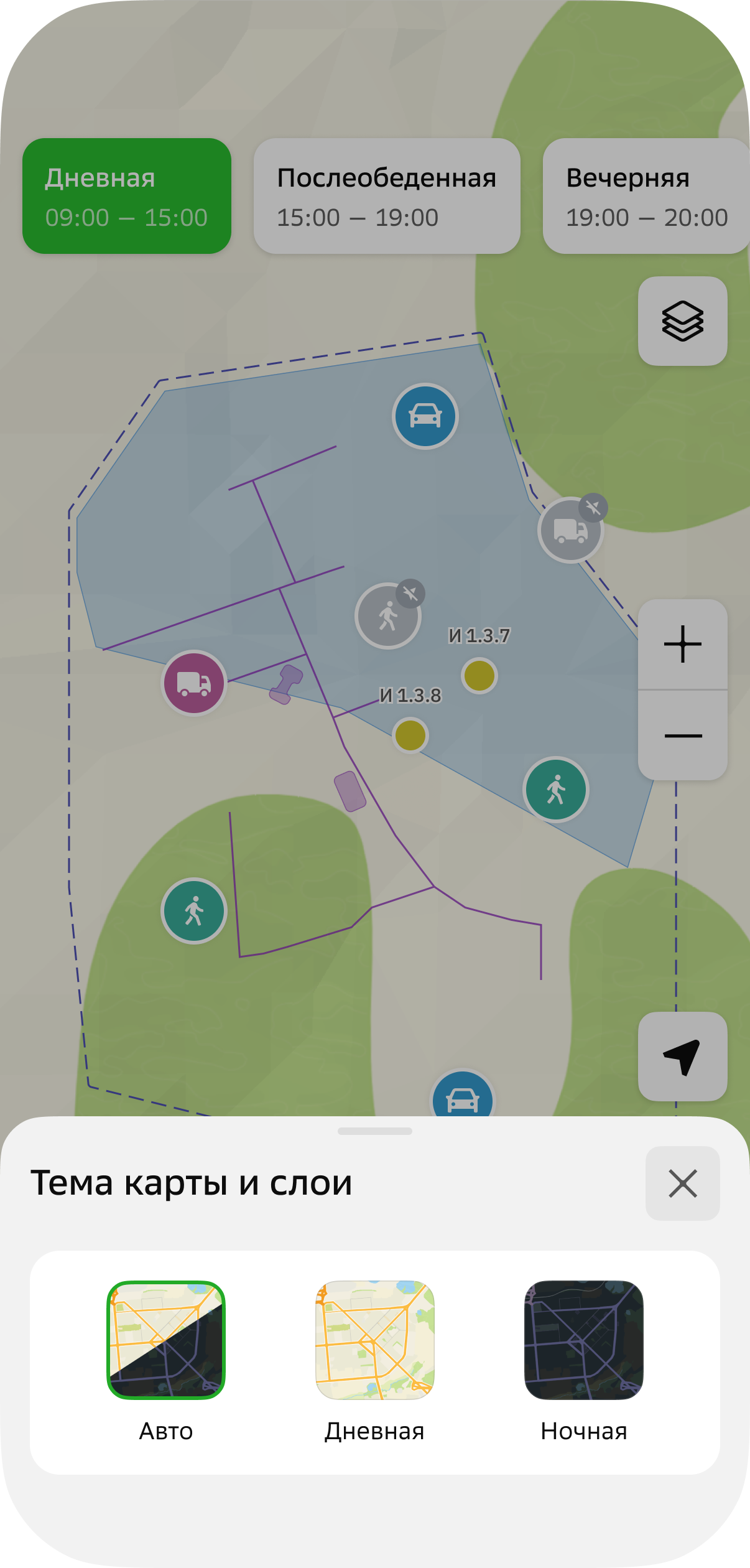
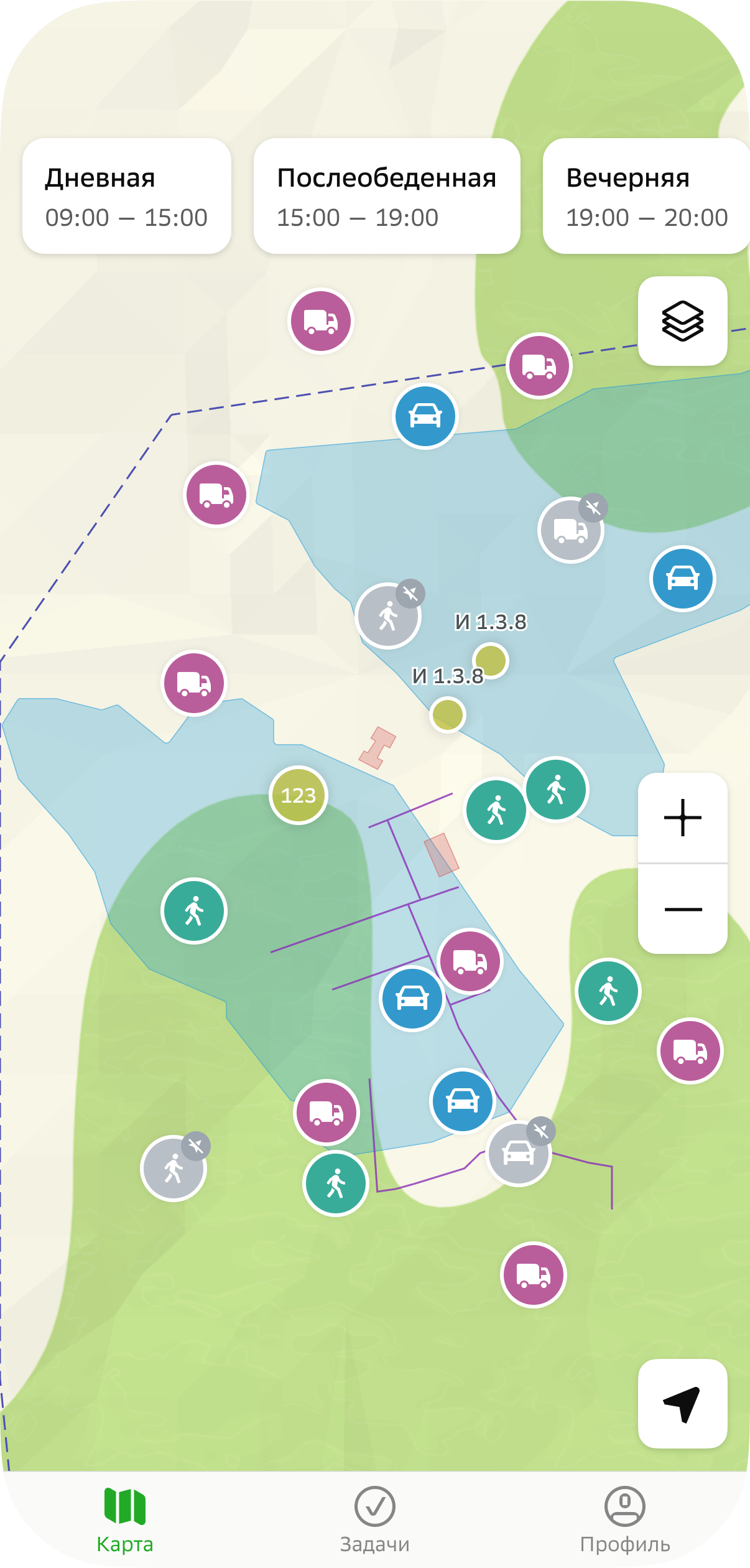
The mobile application Map tab displays the map with shifts, geofences, objects, and agents: mobile employees, transport, etc.
You can:
- view information about shifts, geofences, objects, and agents
- select a map theme
Viewing information about a shift
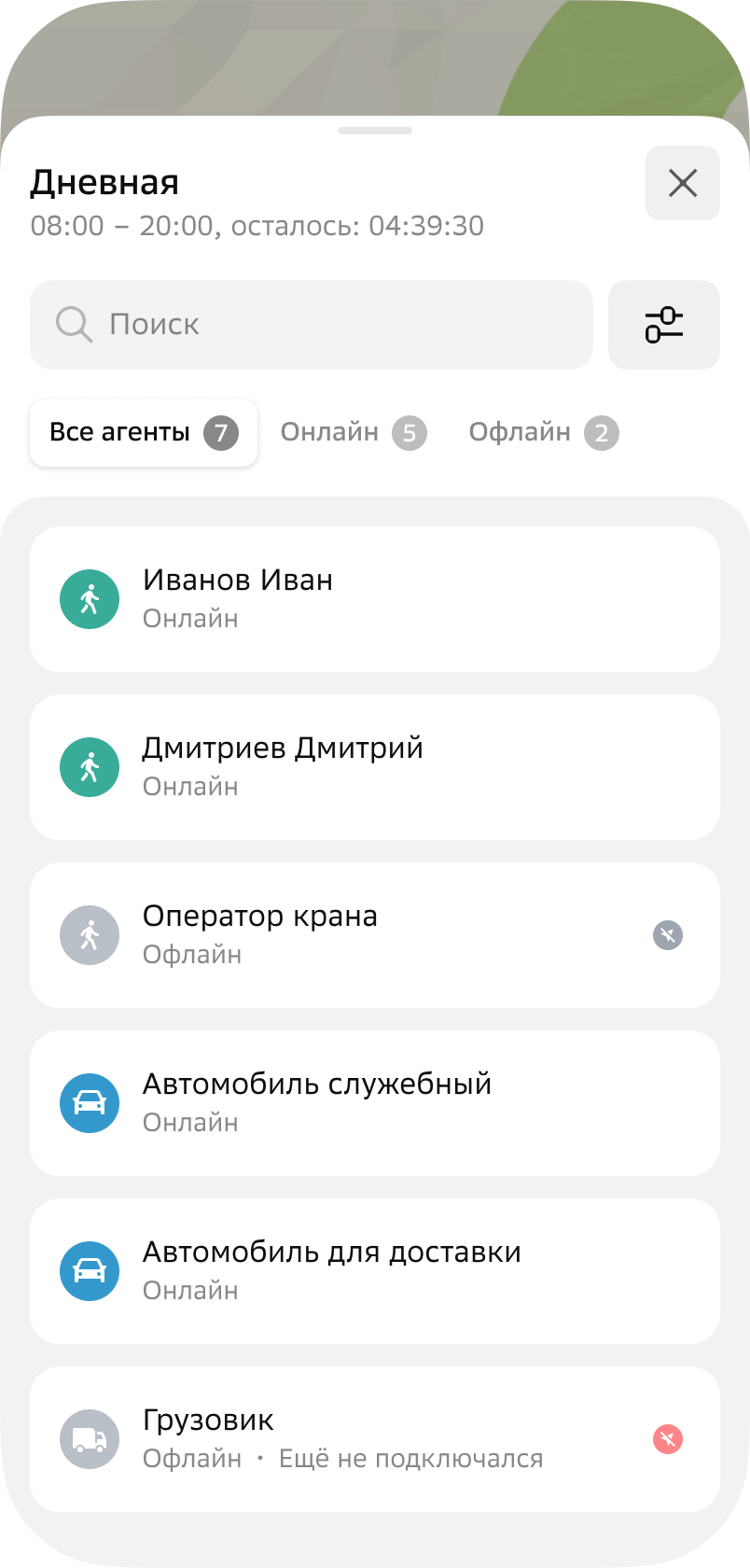
To view information about a shift, tap its name at the top of the screen. The shift card displays:
-
General shift data: name, start and end time, and time remaining until the end of the shift.
-
List of agents added to the shift. For each agent, the following is displayed:
-
Agent identifier.
-
Agent status. The status depends on the availability of agent location data, which is updated once per minute:
Online: agents with available current location data. Displayed on the map as a colored icon. The icon color depends on the agent template.Offline: agents without available current location data (for example, the tracker or mobile application is disabled or not transmitting location data). Displayed on the map as a gray icon.
-
Viewing information about geofences
-
To select geolayers (groups of geofences) displayed on the map, open the shift, tap
 icon in the upper-right corner, and select the types: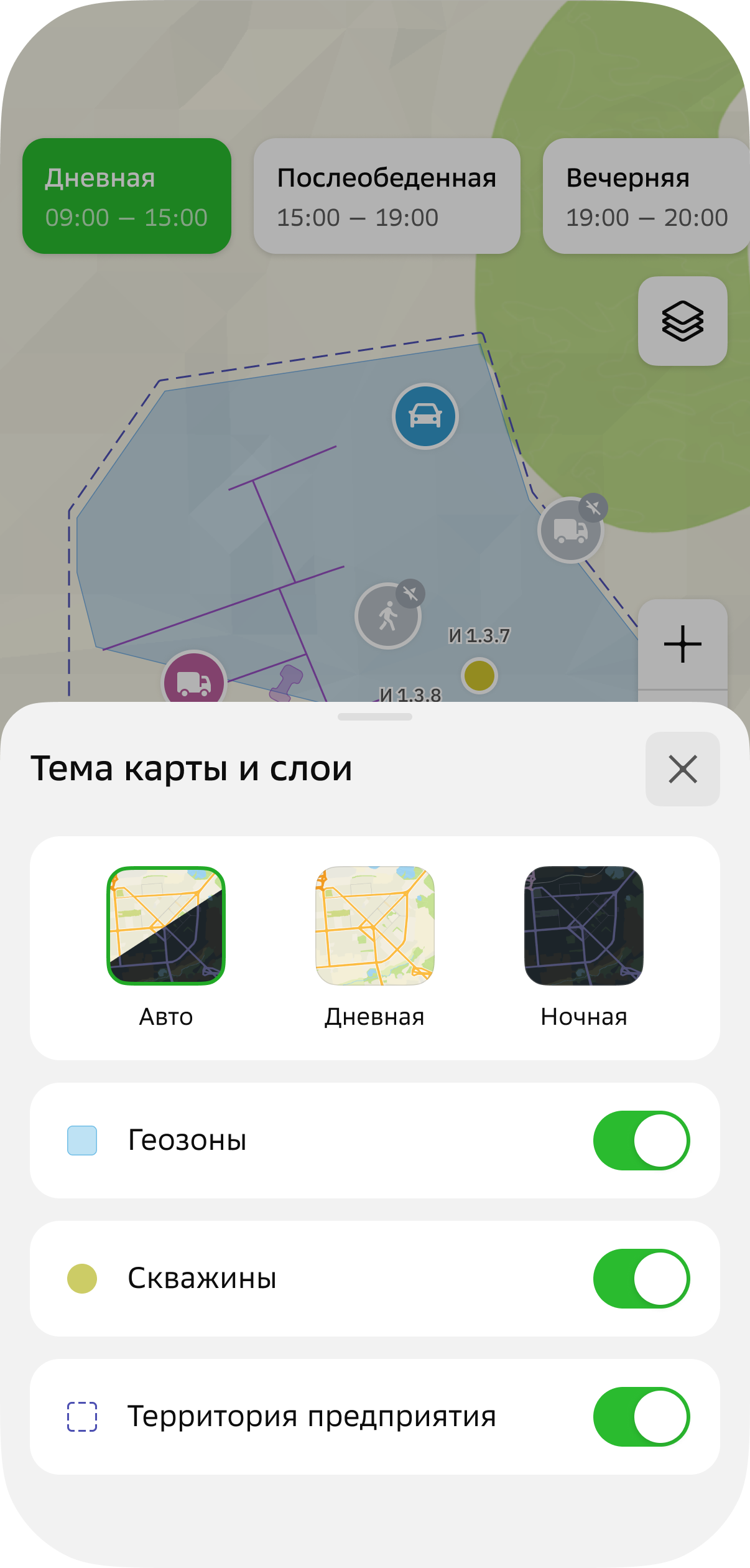
-
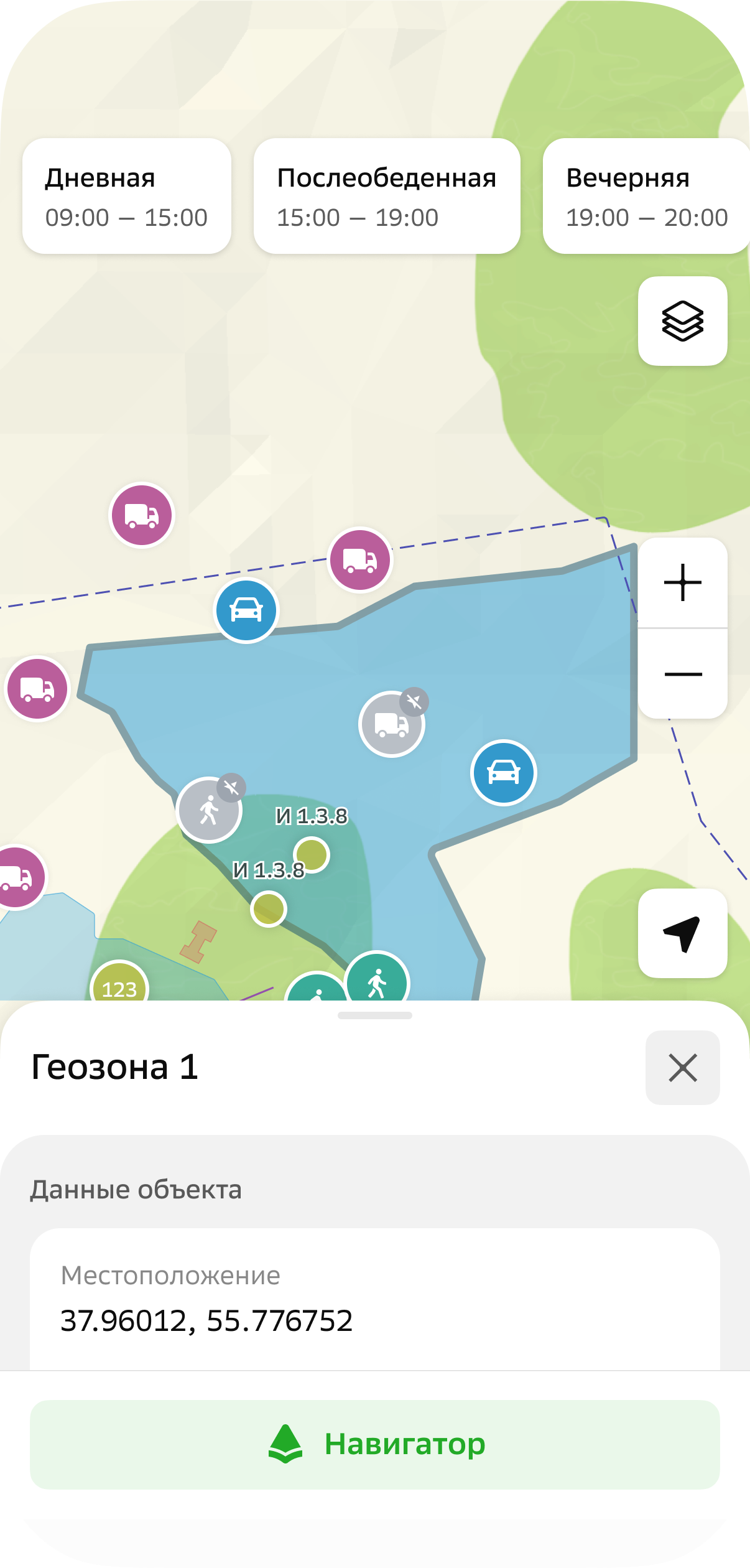
To open the geofence card, tap it on the map.
The geofence card displays:
- Geofence name.
- Location: geofence coordinates or address.
Viewing information about objects
-
To select the types of objects displayed on the map, open the shift, tap
icon in the upper-right corner, and select the types:
-
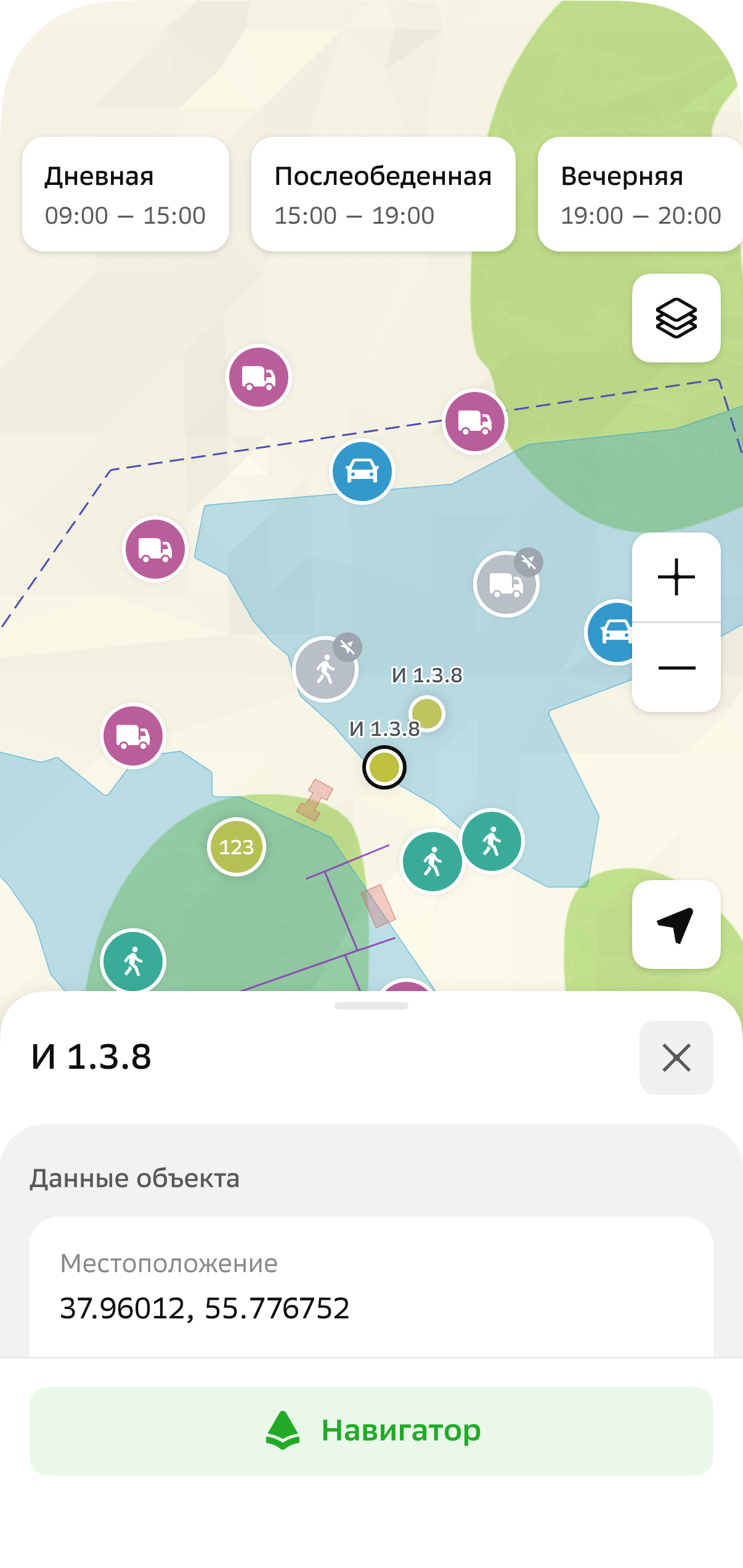
To open the object card, tap its icon on the map.
The object card displays:
-
Object name.
-
Location:
- Coordinates: object coordinates.
- Address: object address.
-
Additional: other attributes may be displayed here if they were specified in the object template. For example, if the administrator attached files to the object, you can view them in the Files section (it may have a different name).
-
Viewing information about agents
-
To select the types of agents displayed on the map and in the list, open the shift, tap
icon in the upper-right corner, and select the types: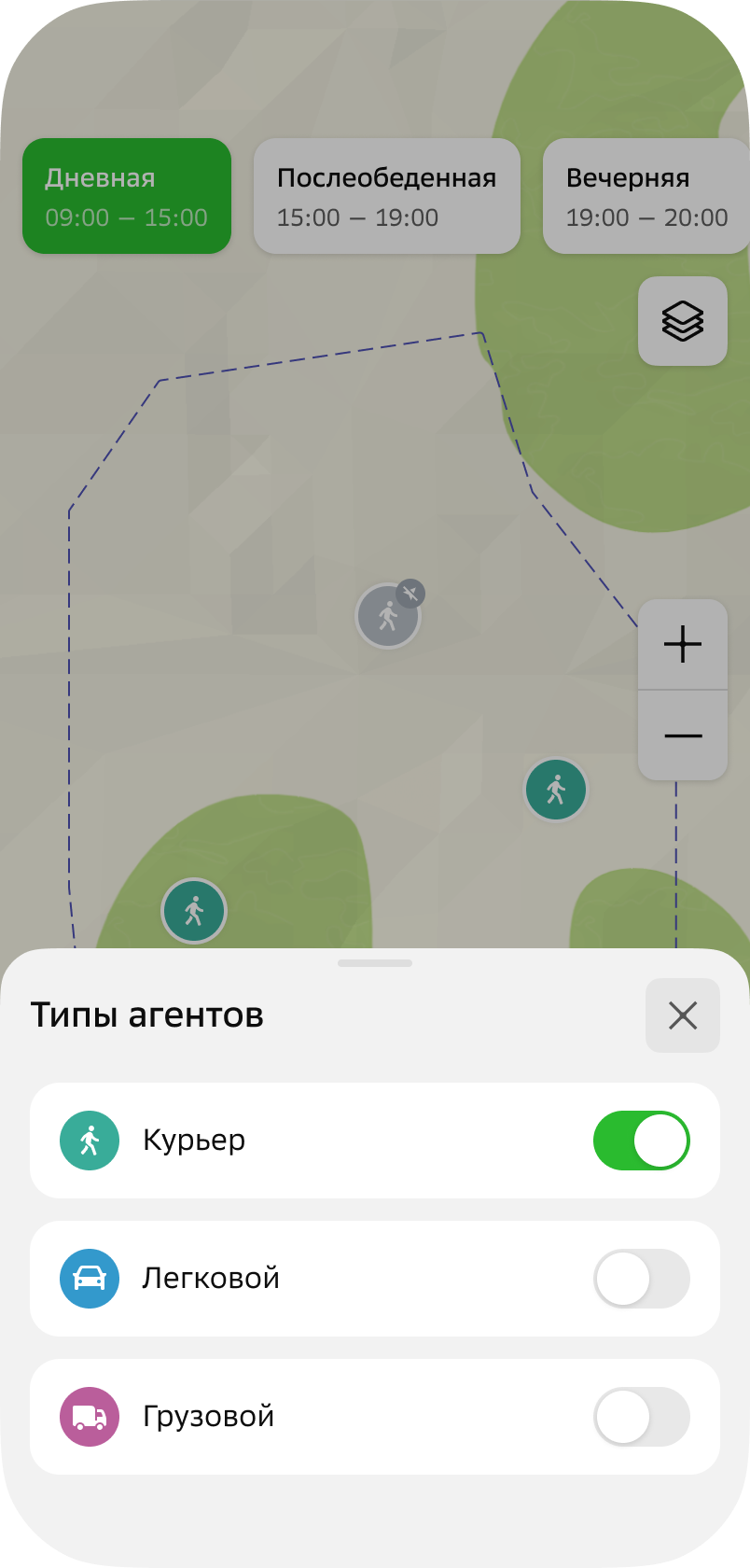
-
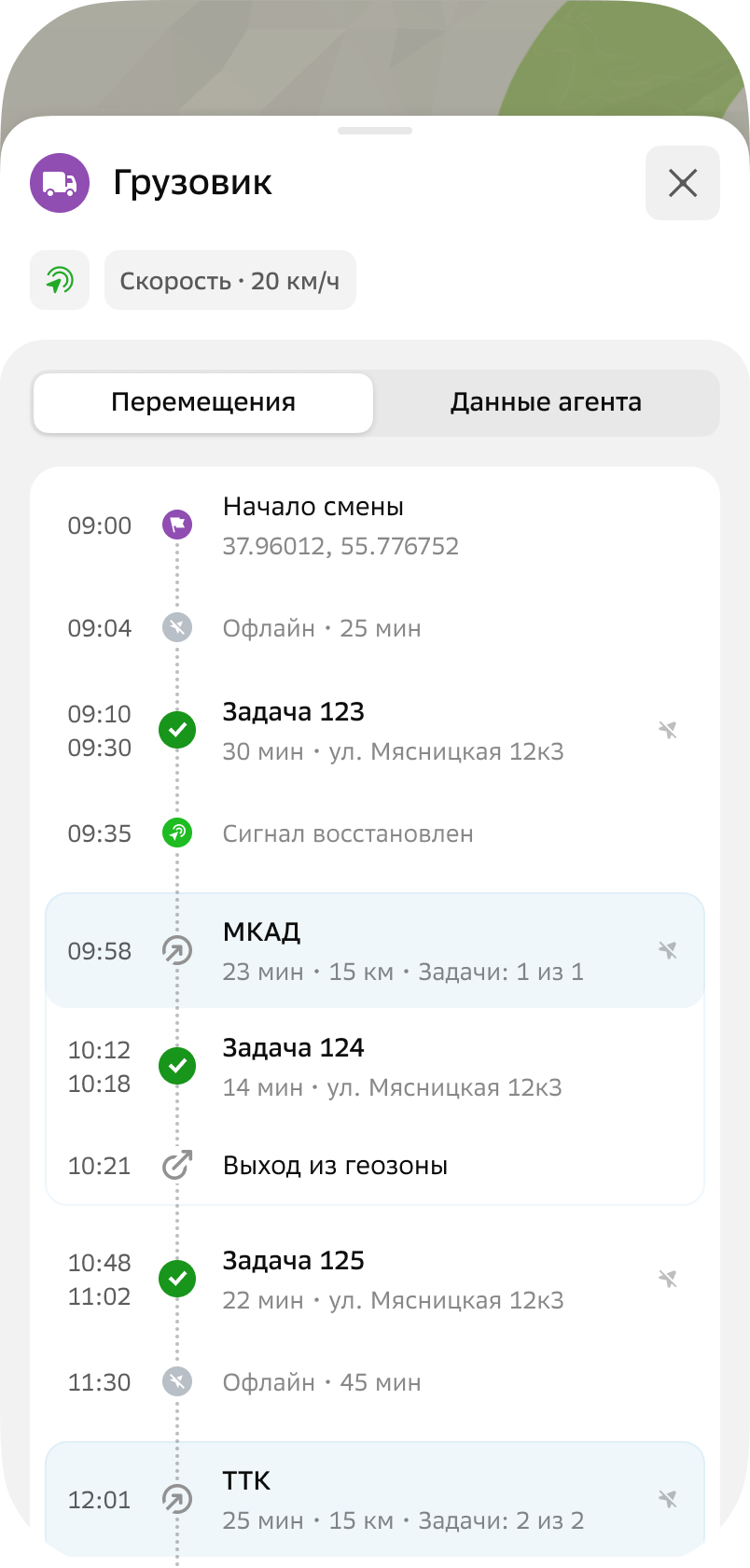
To open the agent card, tap the agent in the list or its icon on the map.
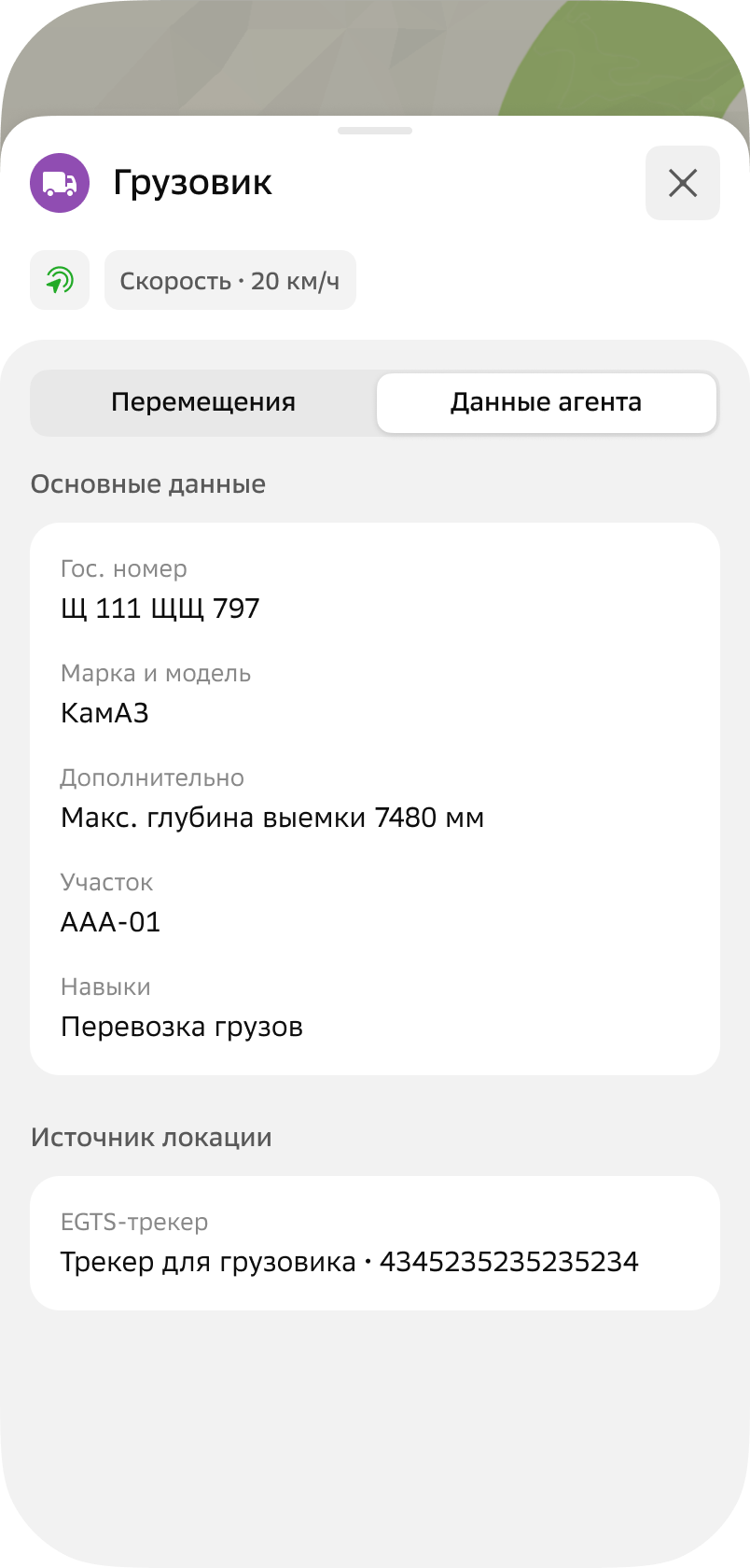
The agent card displays:
-
Movements: history of the agent's movements during the shift. You can view the agent's route on the map.
-
Agent data:
-
Main data: data specified when creating or editing the agent. Depends on the agent template.
-
Location source: sources used to collect location data about the agent (mobile application or tracker).
- Application: name of the user who uses the mobile application and is linked to the agent.
- EGTS tracker: name and unique identifier of the device (tracker).
-
-
Selecting a map theme
-
Tap
icon in the upper-right corner. -
Select a theme:
- Auto (default): map theme changes depending on the device theme
- Day
- Night