Android Compose
Android Compose (Jetpack Compose) is a toolkit for creating UI in Android applications developed in Kotlin. Unlike Android View, this framework follows the declarative approach to describing the interface.
You can use modules for Android Compose by 2GIS to add standard UI controls to your project:
compose-mapfor managing the map. The module is available for both Full and Map versions of the SDK.compose-navigationfor creating a navigator. The module is available only for the Full version of the SDK.
To add a module to your application, add the following elements to app/build.gradle and specify the number and type of the SDK version (both parameters are mandatory):
dependencies {

      def sdkVersion = "14.0.0" // SDK version number

      implementation("ru.dgis.sdk:sdk-map:$sdkVersion") // Specify sdk-map or sdk-full
      implementation("ru.dgis.sdk:compose-map:$sdkVersion") // Map module
      implementation("ru.dgis.sdk:compose-navigation:$sdkVersion") // Navigator module
}
See an example of a prepared app/build.gradle in the demo project on GitHub.
Map
Get the map using MapComposable. The map is then used when adding UI elements. See the map preparation example.
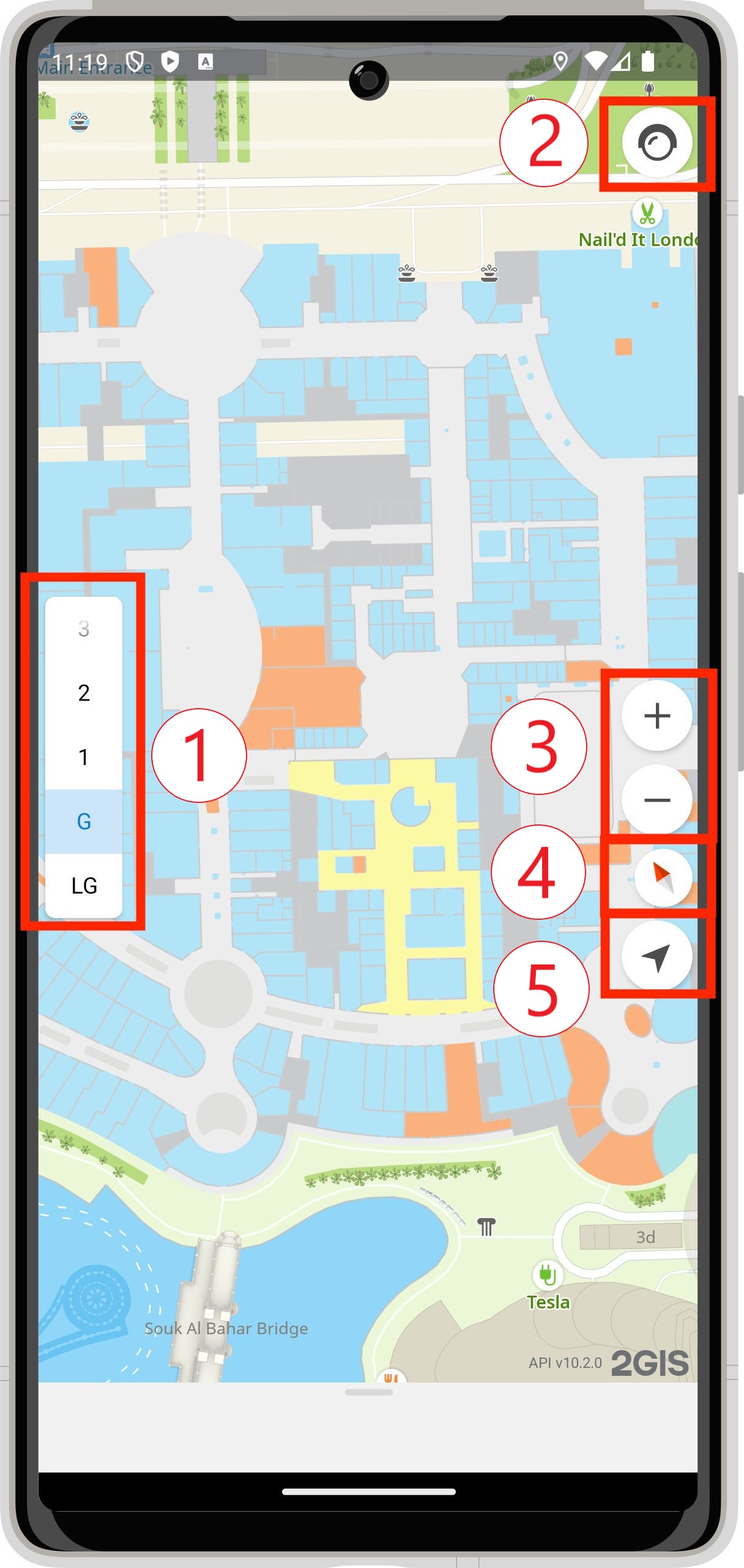
The standard set contains the following controls:
-
IndoorComposable to switch floors.
-
TrafficComposable to display the current traffic jam level and manage the visibility of traffic jams on the map.
-
ZoomComposable to scale the map (zoom in and out).
-
CompassComposable to display the current map rotation angle relative to the north.
-
MyLocationComposable to fly to the current user location. This UI control displays the current camera follow state (CameraFollowState) and enables changing it.
-
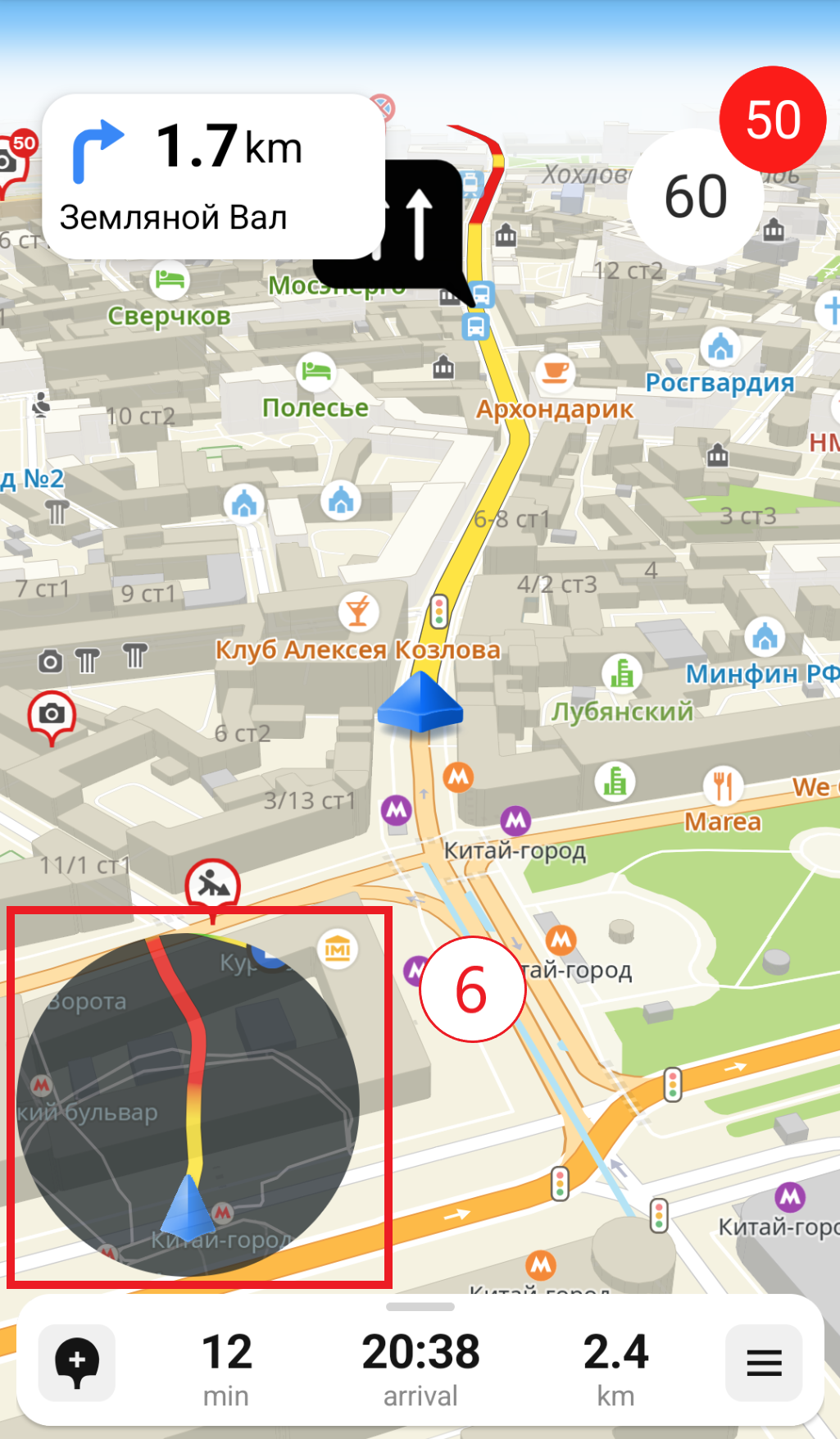
MinimapComposable to display a minimap during navigation.
Navigator
The Full version of the SDK contains a set of UI controls for displaying and managing navigation. For convenience, all controls are combined in NavigationControlsComposable, which you can customize via DefaultNavigationControlsContent.
The standard set contains the following controls:
-
TrafficLineComposable to display the traffic jam level on the route.
-
ManeuverComposable to display information about the next maneuver.
-
SpeedInfoComposable to display the current speed and the speed limit.
-
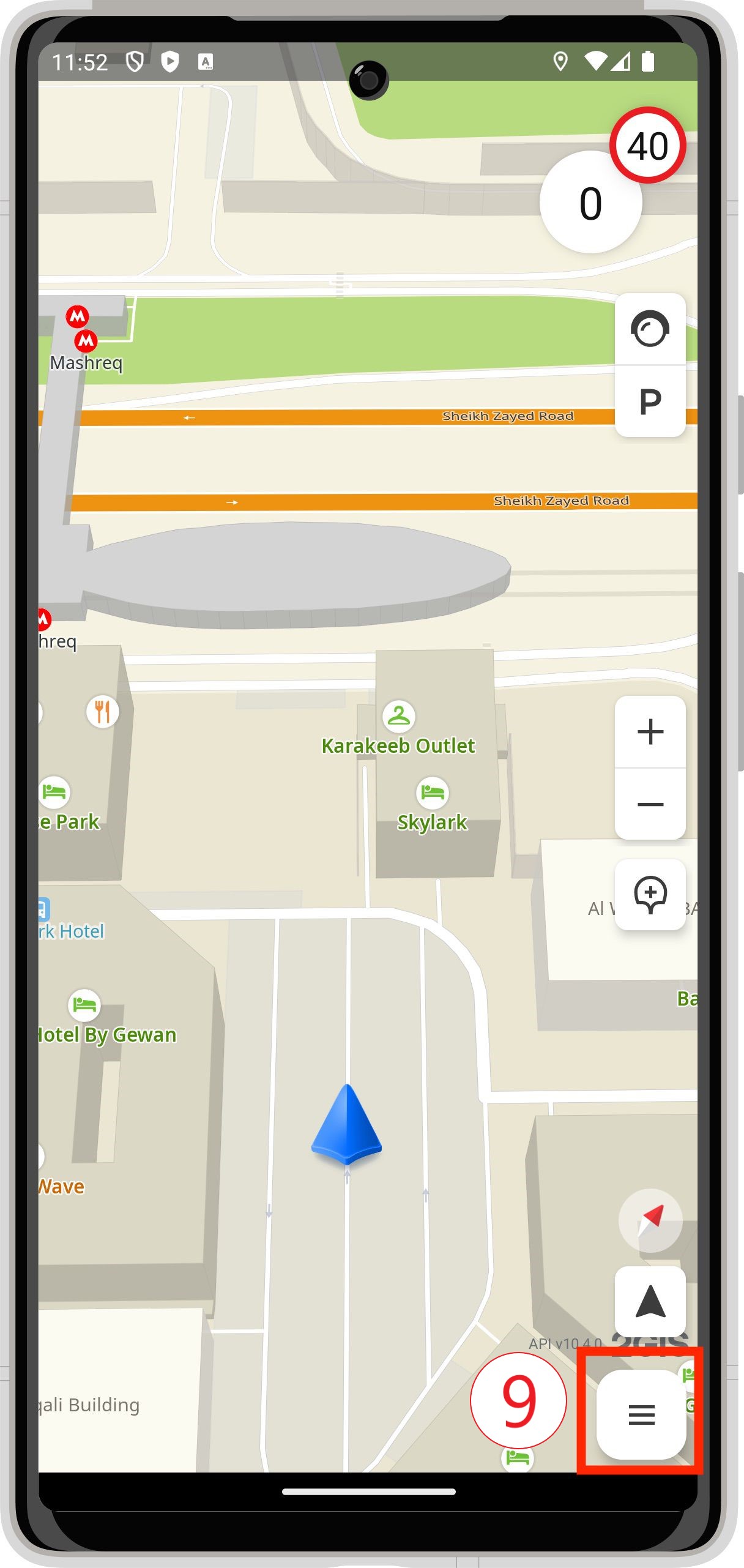
TrafficAndParkingComposable - container for UI controls to manage the visibility of traffic jams (NavigatorTrafficComposable) and parking lots (ParkingComposable) on the map.
-
NavigationZoomComposable to scale the map (zoom in and out).
-
NavigationCompassComposable to display the current map rotation angle relative to the north.
-
NavigationFollowComposable to manage the following of the location marker.
-
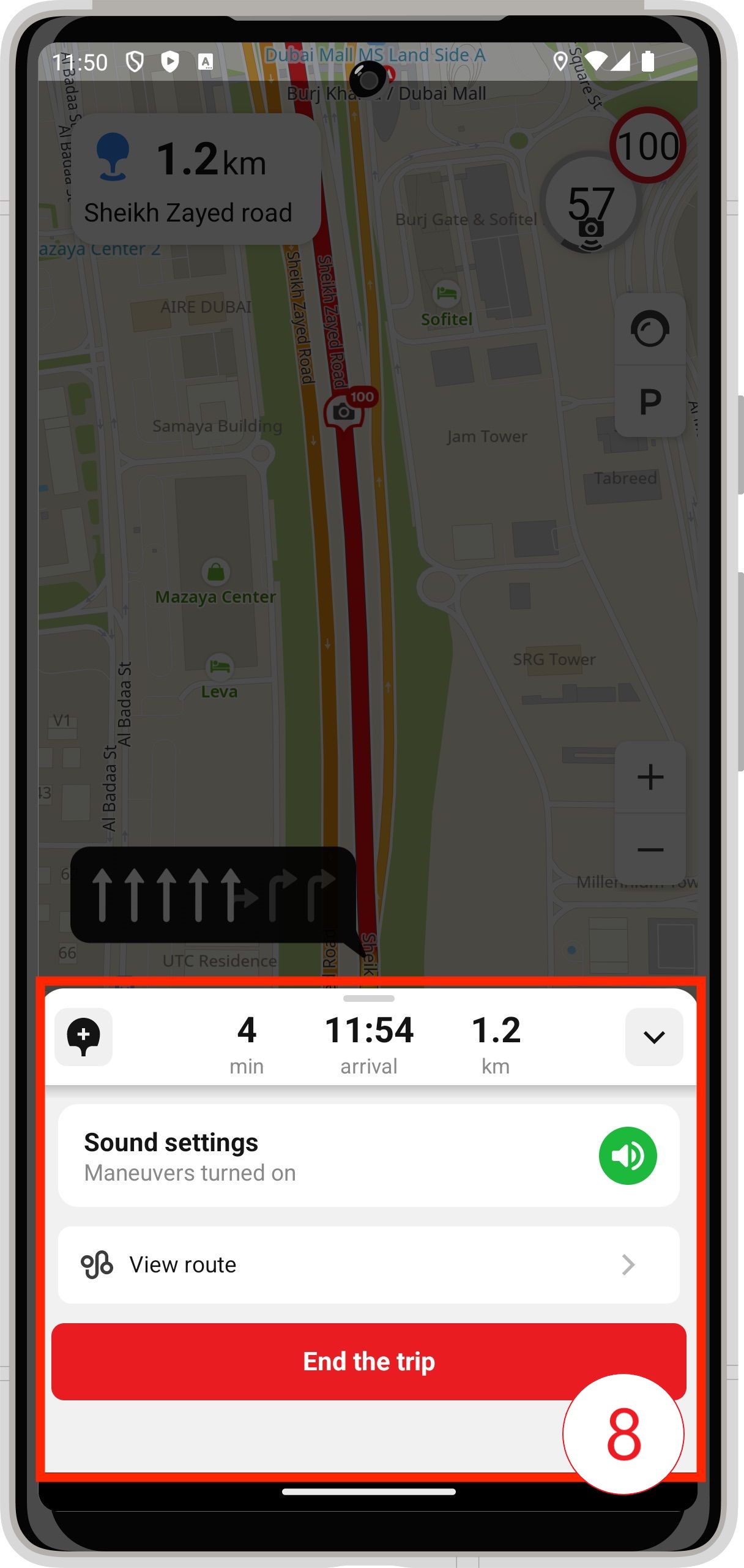
NavigationDashboardComposable to display information in the turn-by-turn mode.

-
NavigationDashboardComposable to display information in the free-drive mode.
-
NavigationDashboardComposable to display information in the indoor navigation mode.
-
NavigationIndoorComposable to manage the floor list in the indoor navigation mode.

-
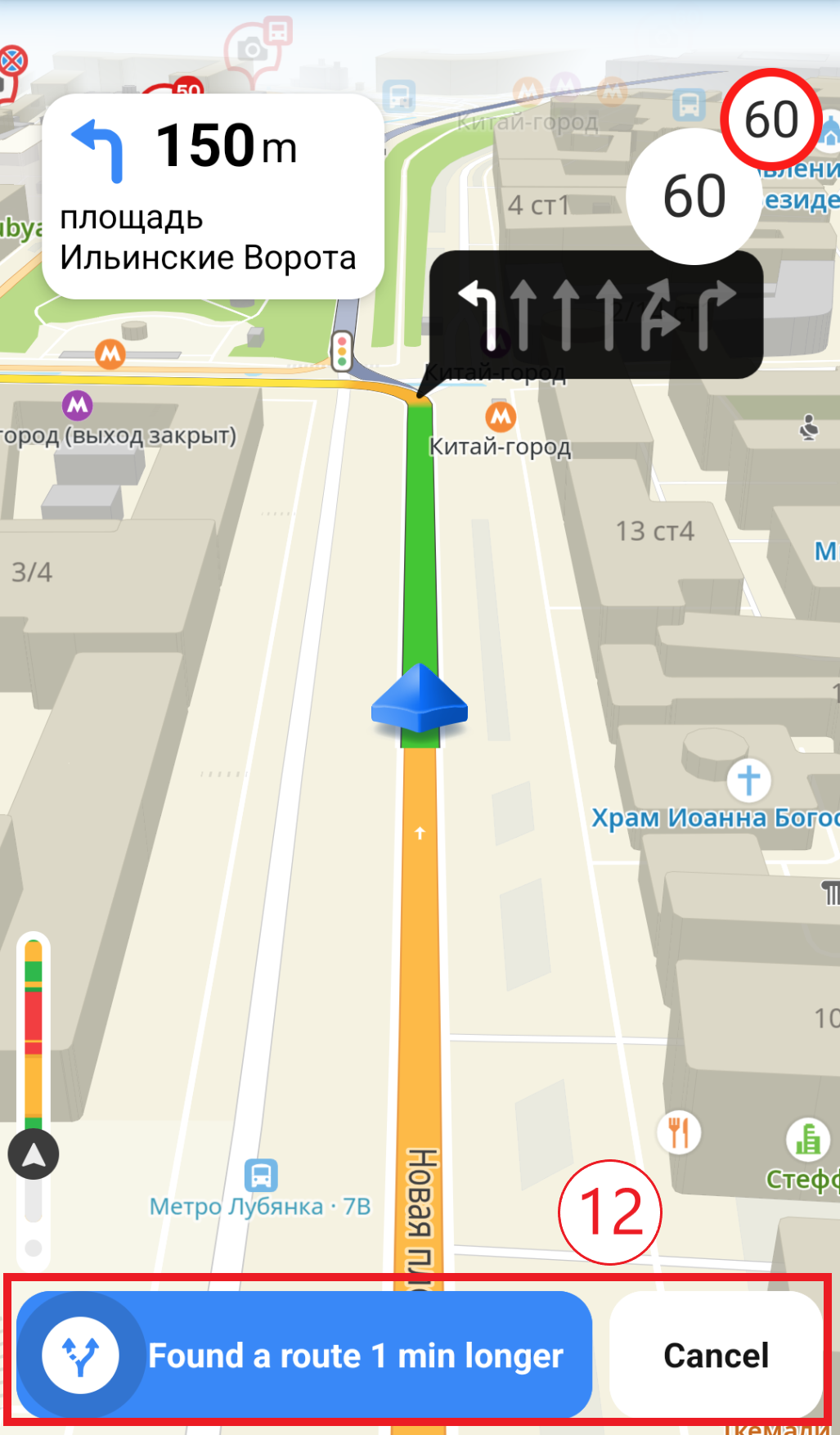
BetterRoutePromptComposable to display a prompt to switch to the "better route".
-
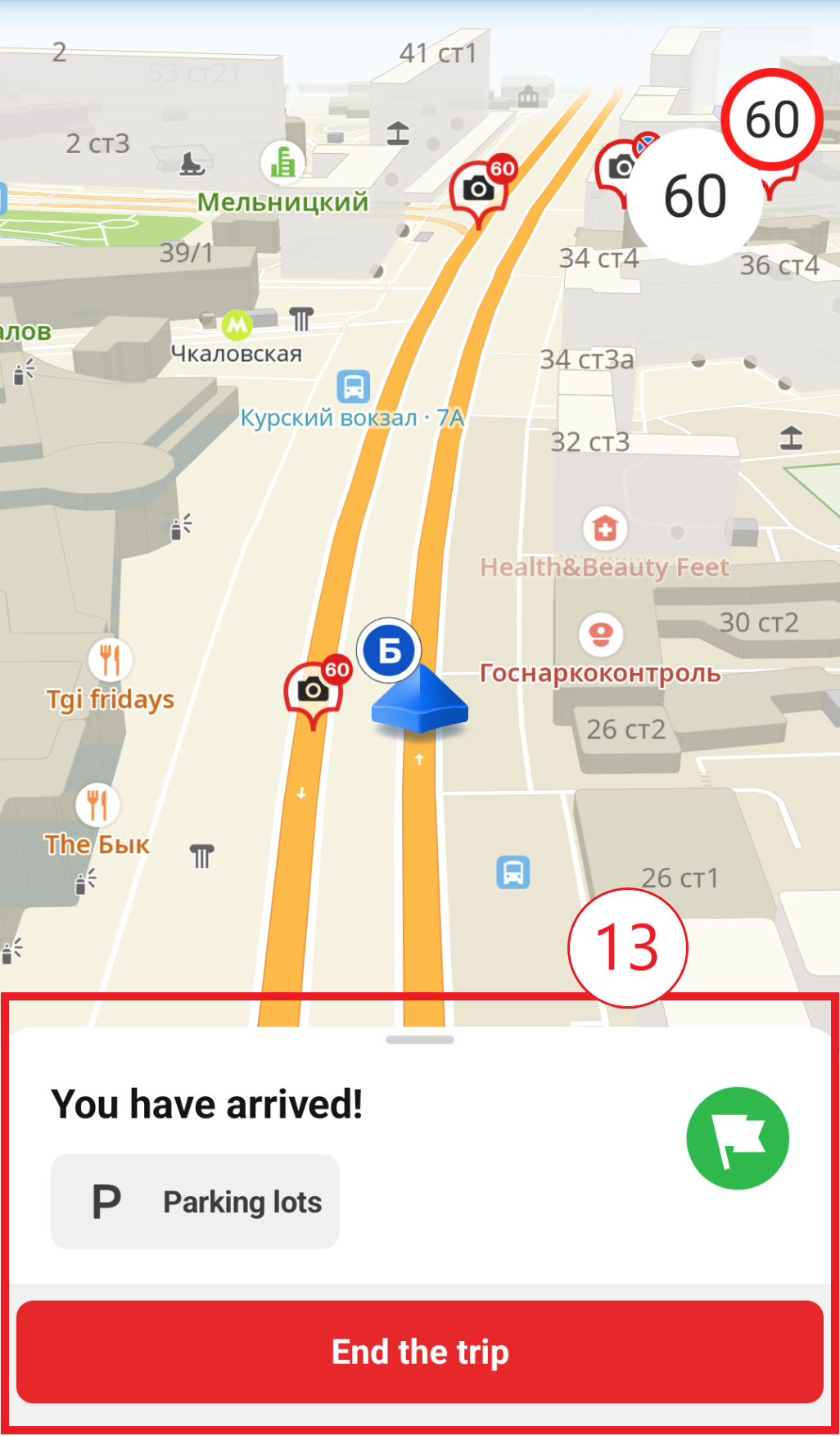
FinishRouteComposable to display information about route completion.
-
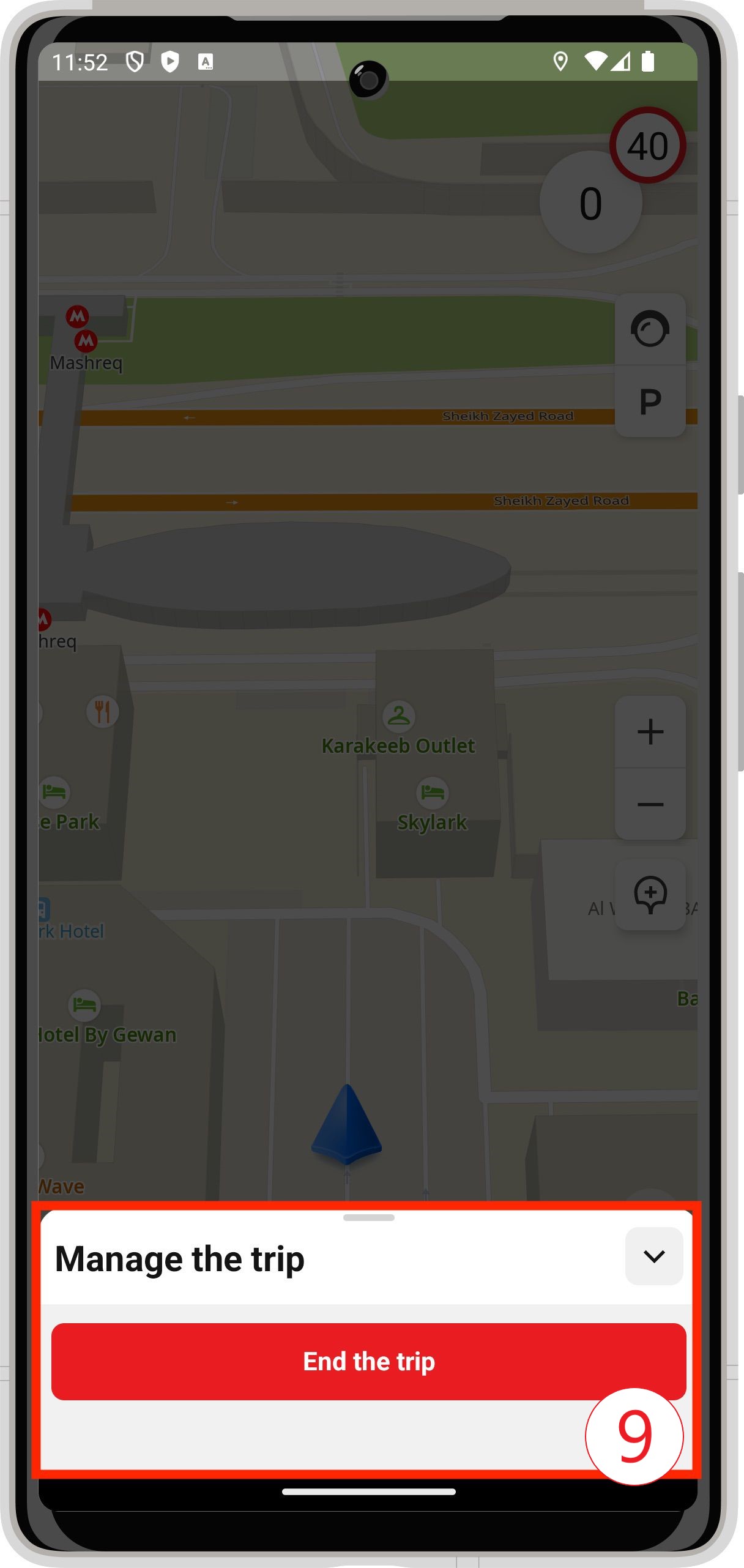
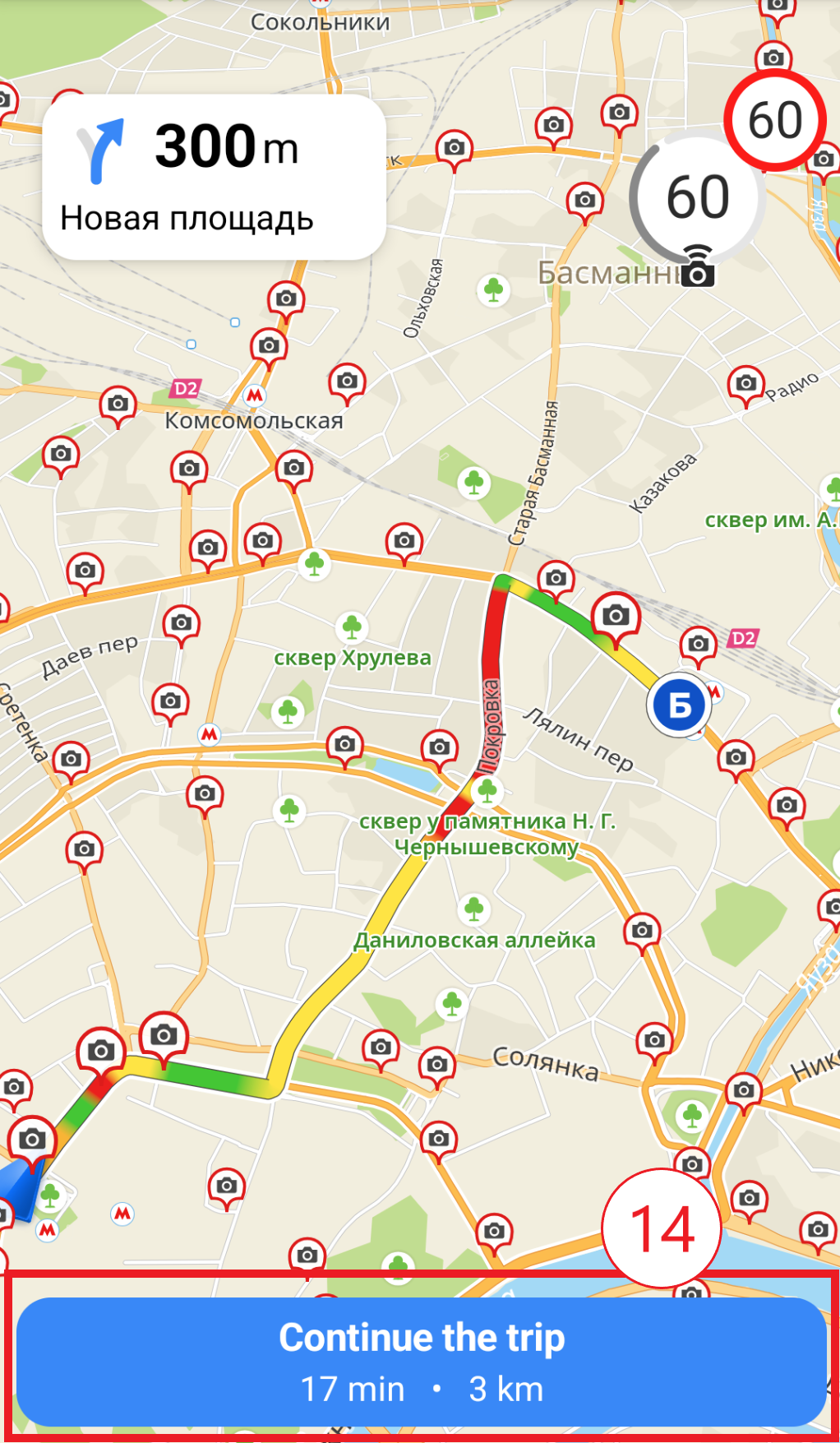
RouteOverviewComposable to display general information about the route during navigation.
Navigator settings screen
The compose-navigation module contains screens and layout components for the navigator settings interface. You can use the ready-made settings screen that opens from the navigation dashboard or embed individual layout components into your own application screen.
Navigator settings are stored in NavigationSettingsRepository. The application creates and retains a repository instance, while the mobile SDK uses it and reads settings from it to control the navigator and for route building. Pass the same repository to the settings interface and to the route building code: this way, the values that the user selects in the settings become available when creating RouteSearchOptions, and the application can use them before building a route.
If the repository is passed to DefaultNavigationControlsState, some settings are applied to the active navigation session automatically.
Built-in settings screen
Create a NavigationSettingsRepository and pass it to DefaultNavigationControlsState. In the example below, DefaultNavigationControlsState also applies supported runtime settings to NavigationManager and accounts for their changes during navigation.
- For SDK version 14.0.0 or later
- For SDK version 13.x
@Composable
fun NavigationControls(
    context: Context,
    map: Map,
    navigationManager: NavigationManager,
) {
    val settingsRepository = remember(context) {
        NavigationSettingsRepository.default(context.applicationContext)
    }
    val controlsState = remember(map, navigationManager, settingsRepository) {
        DefaultNavigationControlsState(
            map = map,
            navigationManager = navigationManager,
            minimapOptions = MapControllerOptions(),
            settingsRepository = settingsRepository,
        )
    }

    DisposableEffect(controlsState) {
        onDispose { controlsState.onCleared() }
    }

    NavigationControlsComposable(state = controlsState)
}
@Composable
fun NavigationControls(
    context: Context,
    map: Map,
    navigationManager: NavigationManager,
    minimapState: MapComposableState,
) {
    val settingsRepository = remember(context) {
        NavigationSettingsRepository.default(context.applicationContext)
    }
    val controlsState = remember(map, navigationManager, minimapState, settingsRepository) {
        DefaultNavigationControlsState(
            map = map,
            navigationManager = navigationManager,
            minimapState = minimapState,
            settingsRepository = settingsRepository,
        )
    }

    DisposableEffect(controlsState) {
        onDispose { controlsState.onCleared() }
    }

    NavigationControlsComposable(state = controlsState)
}
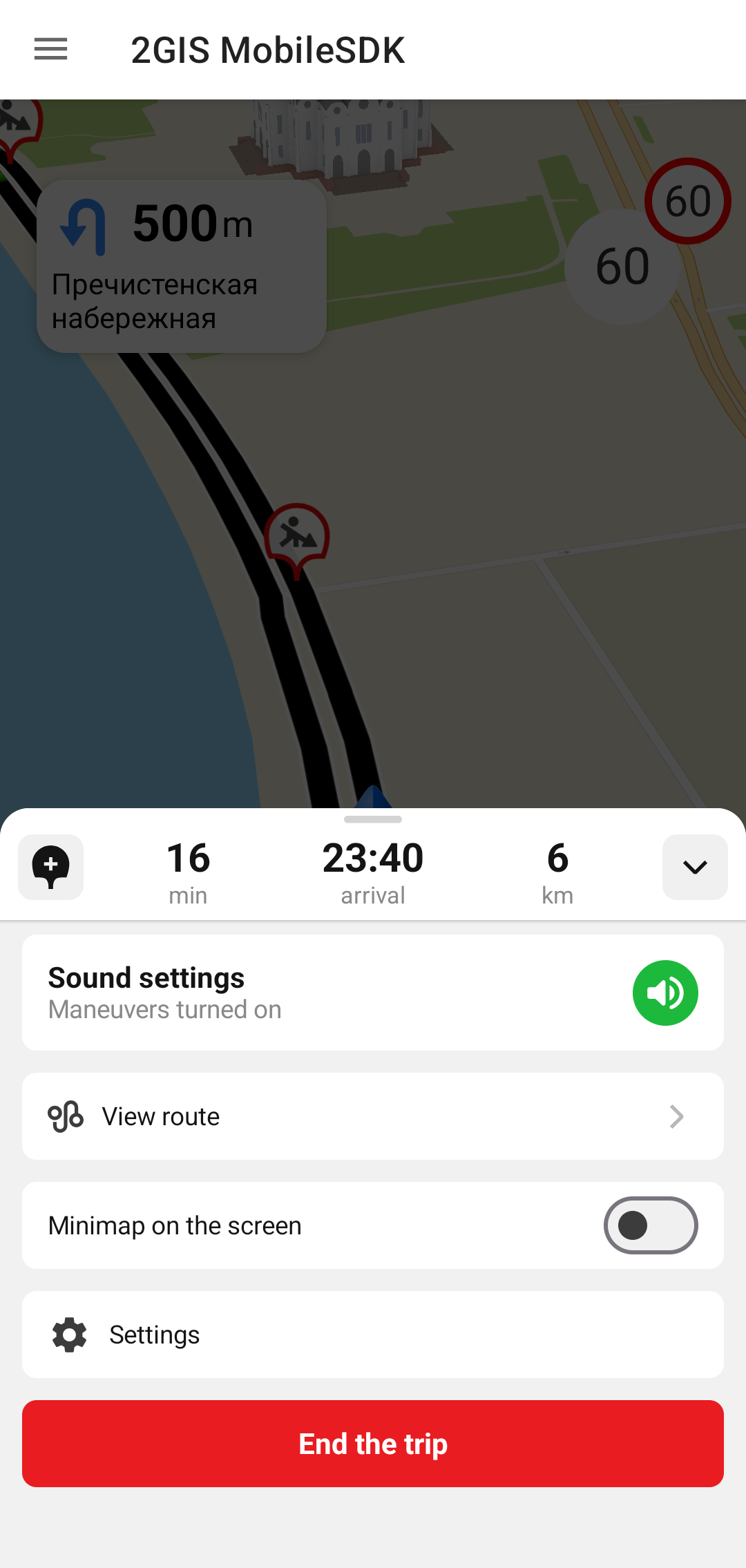
If the repository is provided, NavigationControlsComposable automatically shows a settings button in the navigation dashboard and opens the built-in settings screen on tap.
Custom scenario
To create your own settings screen or dialog, pass onSettingsClick to NavigationControlsComposable. In this case, the built-in screen does not open, and your callback is invoked instead.
NavigationControlsComposable(
    state = controlsState,
    onSettingsClick = { settingsVisible = true },
)
Pass the repository to DefaultNavigationControlsState so that the SDK applies runtime settings. The button visibility is controlled by onSettingsClick: if the callback is provided, the dashboard shows the settings button and invokes this callback on tap.
Ready-made layouts
To implement your own scenario, you can use the ready-made SDK layouts:
-
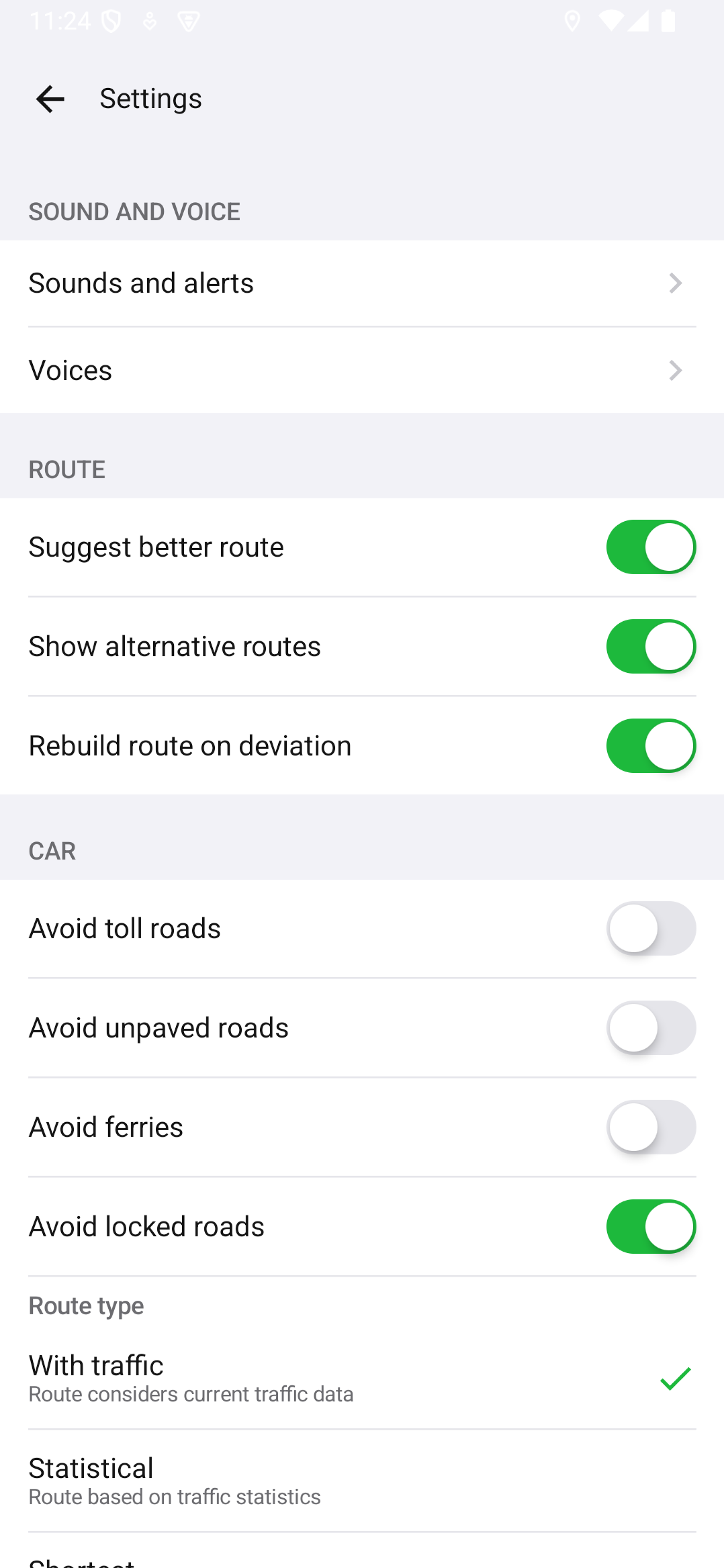
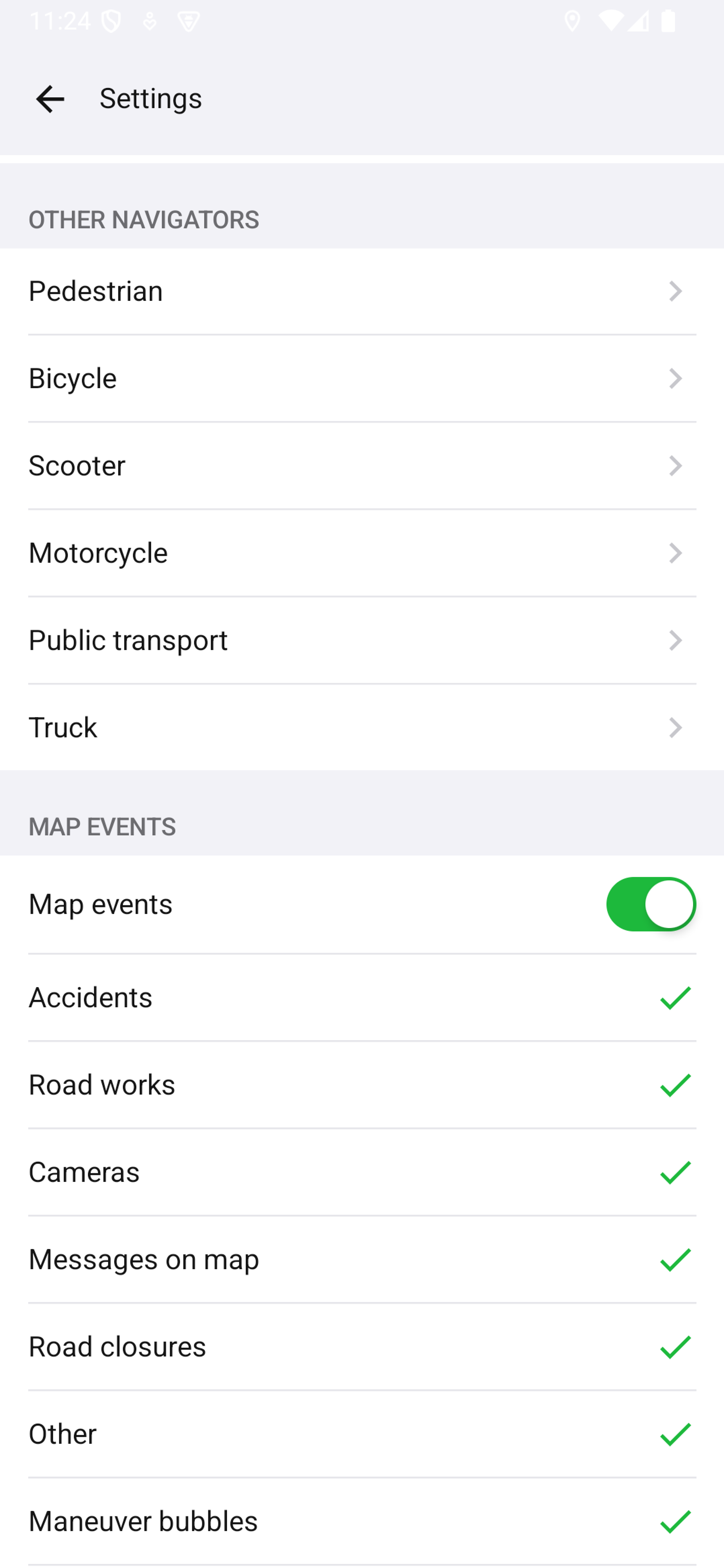
RouteSettingsLayout - main screen for route, sound, map event settings, and links to transport settings.
- PedestrianRouteSettingsLayout - pedestrian route settings.
- BicycleRouteSettingsLayout - bicycle route settings.
- ScooterRouteSettingsLayout - scooter route settings.
- MotorcycleRouteSettingsLayout - motorcycle route settings.
- PublicTransportRouteSettingsLayout - public transport route settings.
- TruckRouteSettingsLayout - truck parameters and route restrictions for cargo transport.
-
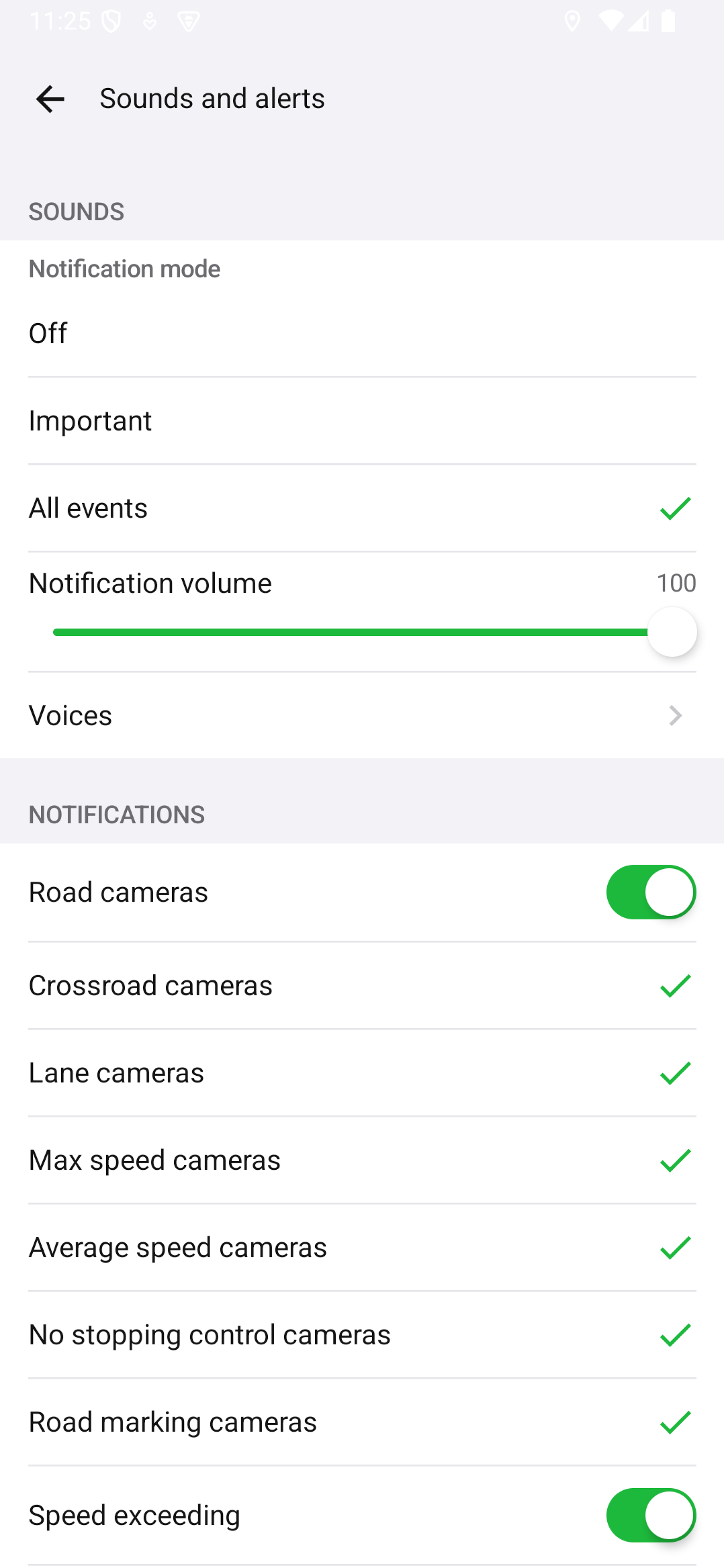
SoundSettingsLayout - sound and notification settings.
-
VoicesLayout - voice selection, download, and deletion.
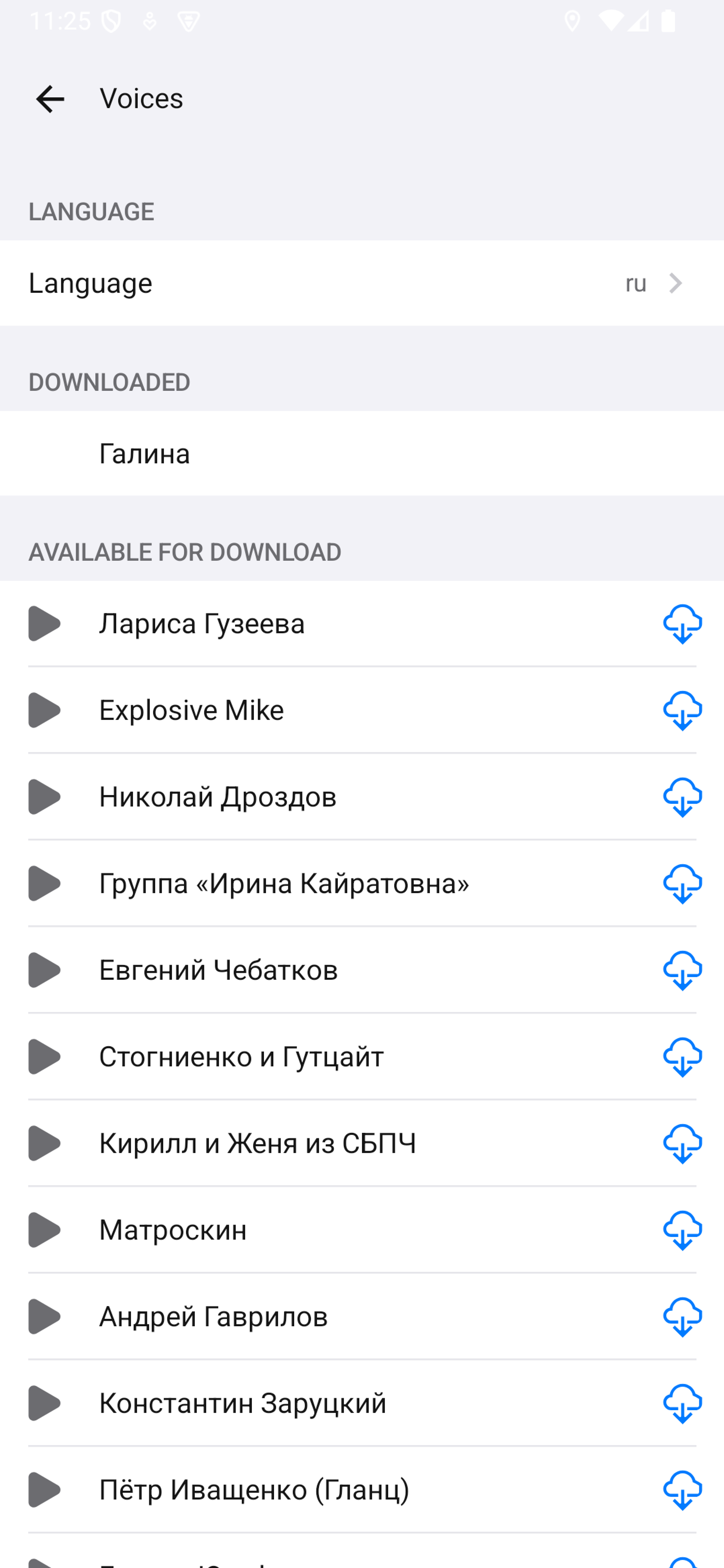
The example below adds custom navigation between screens, with screen content taken from the ready-made layouts:
@Composable
fun CustomSettingsScreen(
    settingsRepository: NavigationSettingsRepository,
    onClose: () -> Unit,
) {
    var screen by remember { mutableStateOf(SettingsScreen.Root) }
    val soundViewModel = remember(settingsRepository) {
        DefaultSoundSettingsViewModel(settingsRepository)
    }
    val voicesViewModel = remember(settingsRepository) {
        DefaultVoicesScreenViewModel(settingsRepository)
    }

    DisposableEffect(soundViewModel, voicesViewModel) {
        onDispose {
            soundViewModel.onCleared()
            voicesViewModel.onCleared()
        }
    }

    Column {
        Button(onClick = onClose) {
            Text(text = "Close")
        }

        when (screen) {
            SettingsScreen.Root -> RouteSettingsLayout(
                settingsRepository = settingsRepository,
                onNavigateToSoundSettings = { screen = SettingsScreen.Sound },
                onNavigateToBicycle = { screen = SettingsScreen.Bicycle },
                onNavigateToVoicesSettings = { screen = SettingsScreen.Voices },
            )
            SettingsScreen.Sound -> SoundSettingsLayout(
                viewModel = soundViewModel,
                onNavigateToVoices = { screen = SettingsScreen.Voices },
            )
            SettingsScreen.Voices -> VoicesLayout(state = voicesViewModel)
            SettingsScreen.Bicycle -> BicycleRouteSettingsLayout(
                settingsRepository = settingsRepository,
            )
        }
    }
}
If you create DefaultSoundSettingsViewModel or DefaultVoicesScreenViewModel manually, call onCleared() when your screen is destroyed. When the built-in settings screen via DefaultNavigationControlsState is used, this is done automatically.
Route search options
Route search settings are not applied to a created RouteSearchOptions automatically. Before building a route, the application must read the required values from the same NavigationSettingsRepository that was used in the settings UI.
Example for a car route:
fun createRouteSearchOptions(
    settingsRepository: NavigationSettingsRepository,
): RouteSearchOptions = RouteSearchOptions(
    CarRouteSearchOptions(
        avoidTollRoads = settingsRepository[Keys.CAR_AVOID_TOLL_ROADS],
        avoidUnpavedRoads = settingsRepository[Keys.CAR_AVOID_UNPAVED_ROADS],
        avoidFerries = settingsRepository[Keys.CAR_AVOID_FERRIES],
        avoidLockedRoads = settingsRepository[Keys.CAR_AVOID_LOCKED_ROADS],
        routeSearchType = settingsRepository[Keys.CAR_ROUTE_SEARCH_TYPE],
    )
)
Similarly, you can read keys for pedestrian, bicycle, truck, and other routes from Keys.
Hiding sections
To hide parts of the built-in settings screen, RouteSettingsLayout, or SoundSettingsLayout, use SectionVisibilityConfig.
val visibilityConfig = remember {
    SectionVisibilityConfig(
        hiddenSections = setOf(
            SectionVisibilityConfig.SECTION_TRUCK,
            SectionVisibilityConfig.SECTION_PUBLIC_TRANSPORT,
            SectionVisibilityConfig.SECTION_OTHER_SOUNDS,
        )
    )
}

NavigationControlsComposable(
    state = controlsState,
    settingsSectionVisibility = visibilityConfig,
)
Available section identifiers:
| Identifier | Hidden section |
|---|---|
SECTION_GENERAL_ROUTE | General route settings |
SECTION_CAR_ROUTE | Car route settings |
SECTION_CALLOUT_VISUALIZATION | Callout visualization |
SECTION_MAP_EVENTS | Map events |
SECTION_PASSED_ROUTE | Passed route |
SECTION_NAVIGATION_LINKS | Links to nested screens from the main screen |
SECTION_PEDESTRIAN | Pedestrian route settings section or link to them |
SECTION_BICYCLE | Bicycle route settings section or link to them |
SECTION_SCOOTER | Scooter route settings section or link to them |
SECTION_MOTORCYCLE | Motorcycle route settings section or link to them |
SECTION_PUBLIC_TRANSPORT | Public transport route settings section or link to them |
SECTION_TRUCK | Truck route settings section or link to them |
SECTION_SOUND_MASTER | Master sound mode toggle |
SECTION_EVENT_WARNINGS | Event warnings |
SECTION_VOICES | Voice selection |
SECTION_OTHER_SOUNDS | Other sound events |
Theme
You can use the default theme from NavigationSettingsTheme or override individual theme parameters:
- NavigationSettingsColors - colors,
- NavigationSettingsTypography - typography.
val theme = NavigationSettingsTheme.defaults(
    colors = NavigationSettingsColors.colors().copy(
        primary = Color(0xFF0A84FF),
    )
)

RouteSettingsLayout(
    settingsRepository = settingsRepository,
    theme = theme,
)